
Quote
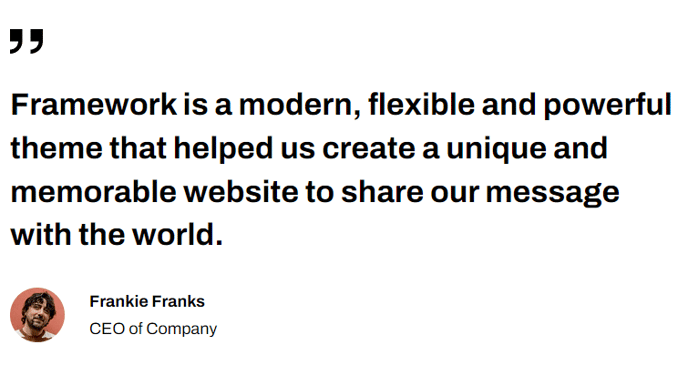
A standout block of text for calling out a quote.
View a live demo of this section.
Modules:
How to Use This Section
The Quote section is designed to create visual emphasis for testimonials, company values, or important statements that deserve special attention on your pages. This section works particularly well on about pages, case studies, landing pages, and service pages where you want to break up longer content blocks with compelling social proof or key messaging.
When you add the Quote section through HubSpot’s page editor, you’ll have access to the Theme Rich Text module which provides more styling flexibility than standard text modules. You can format the quote text with different typography treatments, add attribution lines for speakers or sources, and customize the visual hierarchy to match your brand guidelines.
Best practices for the Quote section:
- Keep quotes concise — aim for one to three sentences that pack maximum impact
- Include proper attribution when featuring customer testimonials or third-party endorsements
- Use strategic placement — position quotes after problem statements or before call-to-action sections to reinforce your value proposition
- Maintain consistency — if using multiple quote sections on your site, establish a standard format for speaker names, titles, and company information
The section’s minimal design approach aligns with Framework’s developer-friendly philosophy, ensuring your quotes integrate seamlessly with surrounding content without overwhelming the page layout. You can easily adjust spacing, typography, and colors through HubSpot’s theme settings to match your brand identity.
This section pairs particularly well with case study templates and testimonial pages, where the clean formatting helps important customer feedback stand out from supporting details and technical specifications.