
Blog Post
A blog post including a call to action, author information, social sharing, and related resources.
Note: Read this HubSpot knowledge base article for a guide on how applying a template to your blog posts.
Default Modules in Global Content:
Note**:** Updating Global Content will make the changes across all blog posts.
Default Modules:
- Indexing and Social SEO [+ only]
- Schema [+ only]
- Back to Top
- Show/Hide Content
- Call to Action Box
- Blog Post Author
- Social Sharing
- Related Resources
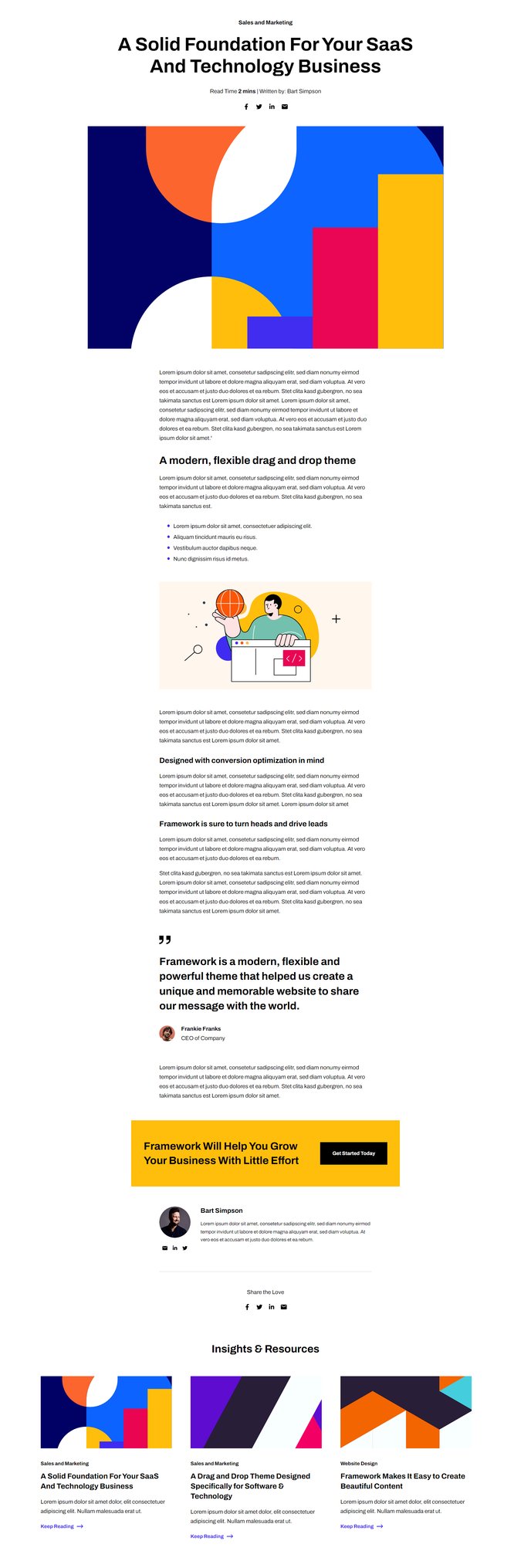
How to Use This Template
The Framework blog post template is specifically designed for SaaS and technology companies who want to maximize reader engagement and lead generation from their content. This template goes beyond basic blog functionality by incorporating strategic conversion elements and professional presentation features that help establish thought leadership in your industry.
When you select this template for your blog posts in the HubSpot page editor, you’ll immediately notice the clean, scannable layout that keeps readers focused on your content. The Progress Bar module at the top provides visual feedback as visitors scroll through longer articles, reducing bounce rates on your in-depth technical content or case studies.
The template’s modular structure makes it easy to customize individual posts without affecting your entire blog. You can use the drag-and-drop editor to rearrange sections, hide the Call to Action Box for certain posts, or modify the Related Resources section to highlight specific offerings. This flexibility is particularly valuable when publishing different content types—from product announcements to thought leadership pieces.
Theme settings optimization tip: Configure your Blog Post Author module to include team member expertise and credentials, which builds trust with technical audiences evaluating your solutions. The Social Sharing module is pre-configured for LinkedIn and Twitter, the primary platforms where B2B technology content gets shared.
For maximum conversion impact, customize the Call to Action Box module for each post category. Product-focused articles might link to demos, while educational content could promote whitepapers or webinars. The template’s responsive design ensures these conversion elements remain prominent across all devices, helping you capture leads from mobile readers who make up an increasing percentage of B2B blog traffic.