
Case Study Listing
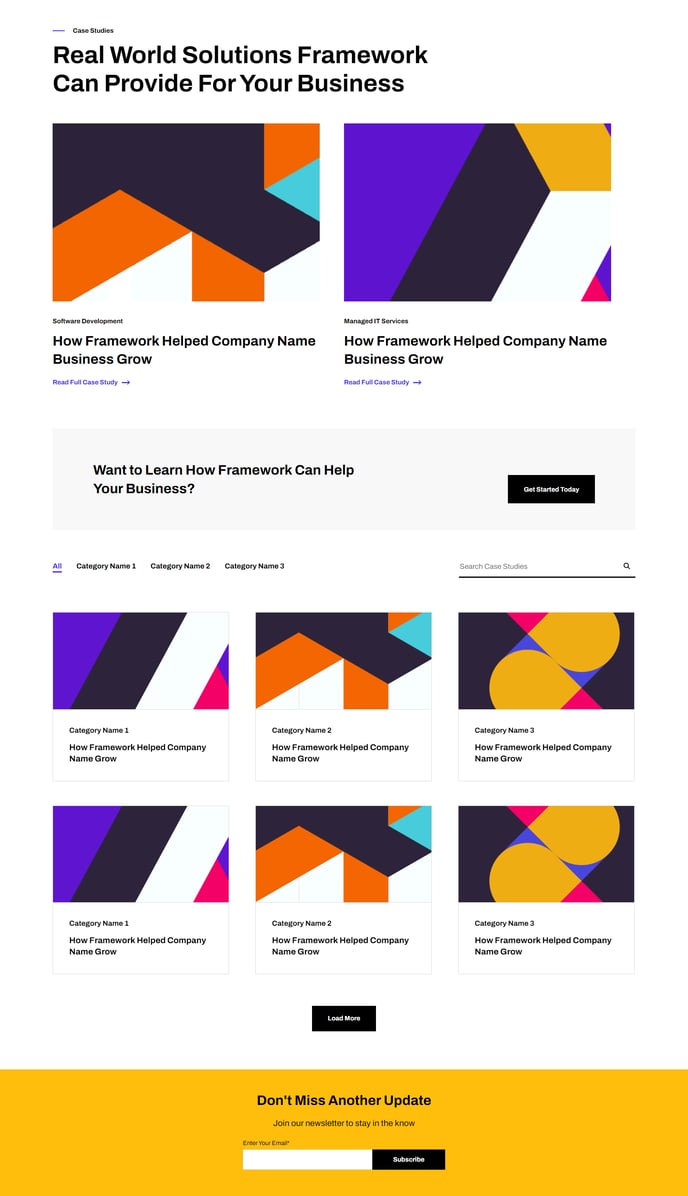
A filterable, searchable, and infinite loading list of case studies topped with a couple of featured resources and a call to action.
Default Modules:
- Indexing and Social SEO [+ only]
- Schema [+ only]
- Back to Top
- Theme Rich Text
- Related Resources
- Call to Action Box
- Resource Listing
- Theme Form
How to Use This Template
The Case Study Listing template is designed specifically for SaaS and technology companies that need to showcase their customer success stories in an organized, searchable format. This template creates a dedicated landing page for your case studies that helps visitors discover relevant examples of your product or service in action.
When you apply this template to a new page in HubSpot, you’ll notice it comes pre-configured with the Resource Listing module that automatically pulls in your case study content. You can customize the filtering options in the page editor to allow visitors to sort by industry, company size, or product features. The infinite loading functionality ensures your page loads quickly even with dozens of case studies.
The featured resources section at the top of the page is perfect for highlighting your most compelling case studies or newest success stories. You can manually select which case studies to feature using the drag-and-drop editor, ensuring your best content gets maximum visibility.
To set up this template effectively, start by creating your individual case study pages first, then use the Theme Rich Text module to add introductory content explaining your customer success approach. The Call to Action Box module works particularly well when positioned to encourage visitors to contact your sales team after they’ve browsed your case studies.
Pro tip: Use the theme’s global settings to ensure your case study filtering categories match your target audience segments. This makes it easier for prospects to find relevant examples quickly. The template’s clean markup also ensures fast loading times, which is crucial for pages that may contain multiple images and testimonials from your case studies.