
Blog Featured Posts
Displays a few blog posts by most recent, most popular, particular tags or manually chosen.
Content
- Choose to show recent posts, popular posts, recent posts that have a particular tag, or manually selected posts
- By default this module pulls from the portal’s default blog, but you can choose to pull from any blog in your portal
- Set a limit on number of posts to show
- Show/hide summary, tags, author, and publish date
Styles
- Set Dark Mode
- Change border radius, aspect ratio, and hover animation of images
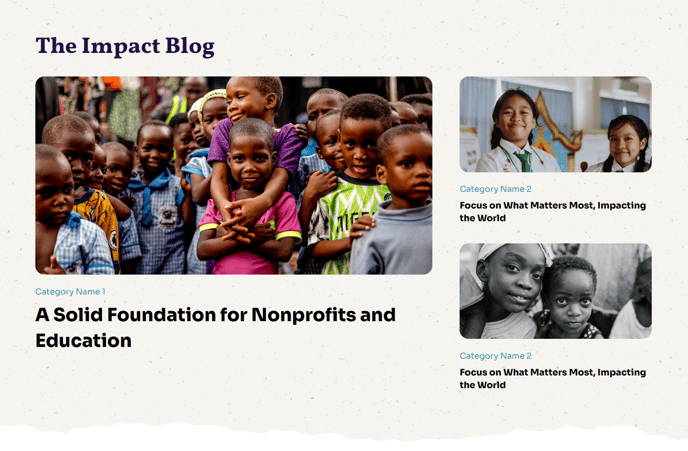
Usage Guide
The Blog Featured Posts module is designed to create compelling blog showcases that drive engagement and help visitors discover your most valuable content. This module works particularly well on your homepage, resource pages, or dedicated blog landing pages where you want to highlight specific articles that align with your nonprofit or educational mission.
When adding this module through the HubSpot page editor’s drag-and-drop interface, consider your content strategy carefully. The “most popular” option is ideal for homepages where you want to showcase proven content that resonates with your audience. For campaign-specific pages, use the tag filtering feature to display posts related to particular initiatives, programs, or causes. The manual selection option gives you complete editorial control, perfect for featuring cornerstone content or recent announcements.
Placement recommendations: Position this module in the upper portion of your pages for maximum visibility, or use it as a content bridge between other sections. The Impact theme’s full-width design philosophy means this module will create a strong visual impact wherever you place it.
The module’s styling options complement the Impact theme’s bold aesthetic. Dark mode works exceptionally well when placed over light background sections, creating visual contrast that draws attention to your featured content. Experiment with different border radius settings to match your organization’s brand personality—sharper corners for more corporate nonprofits, or rounded corners for community-focused organizations.
For optimal performance, limit your post display to 3-6 articles to avoid overwhelming visitors while maintaining fast page load times. Enable the summary and author options to provide context and build trust with your audience, particularly important for educational content where expertise and credibility matter.