
Contact Info
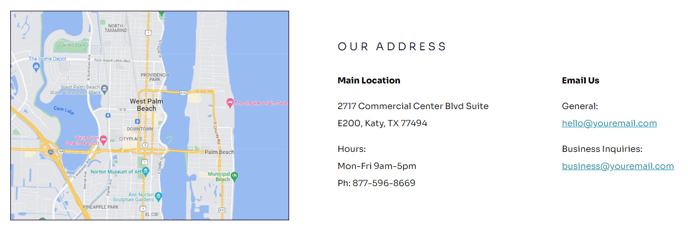
A map and text to include location and contact information.
View a live demo of this module.
Content
- Add embedded map or image
- Include heading above location/contact information
- Include information about location and contact
- Change vertical alignment
- Change placement of map/image on both desktop (left or right) and mobile (top or bottom)
Styles
- Set Dark Mode
- Change heading alignment
- Change text alignment
- Customize list styling
How to Use This Module
The Contact Info module is designed to help nonprofits and educational organizations prominently display their location and contact details alongside a visual map or image. This module works particularly well on contact pages, location pages, and footer sections where visitors need to quickly find your organization’s physical presence and contact information.
When adding this module through HubSpot’s drag-and-drop page editor, you’ll find it integrates seamlessly with Impact’s bold visual style. The module automatically adapts to your theme’s typography settings while providing extensive customization options for layout and presentation.
Best practices for implementation: Place this module near the top of your contact page to maximize visibility, or use it in your site footer for consistent access across all pages. The embedded map functionality works especially well for organizations with physical locations that host events, classes, or meetings. If your organization operates virtually, consider using an image instead of a map to showcase your team or facility.
The responsive design ensures your contact information remains accessible across all devices. On mobile, you can position the map above or below your text content depending on which element you want visitors to see first. Desktop users benefit from the side-by-side layout options that make efficient use of screen real estate.
Pro tip: Take advantage of the Dark Mode setting when placing this module on pages with dark backgrounds or when you want to create visual contrast with surrounding content. The customizable list styling options allow you to format phone numbers, email addresses, and office hours in a way that matches your organization’s branding while maintaining Impact’s clean, professional aesthetic.