
Testimonials
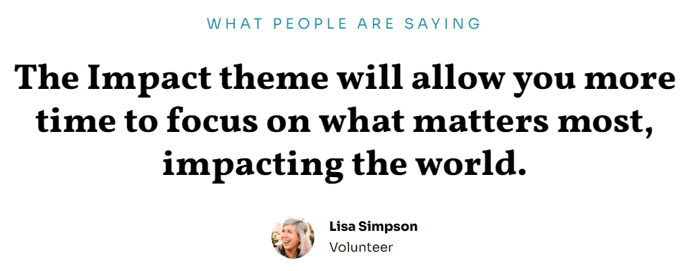
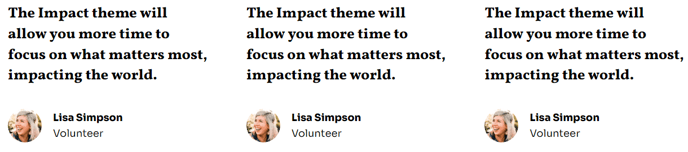
Simple testimonials in columns.
View a live demo of this module.
Content
- Include a heading
- Change how many testimonials to show per row
Styles
- Set Dark Mode
- Change heading and text alignment
- Change eyebrow color
How to Use This Module
The Impact theme’s Testimonials module is designed to showcase client feedback, donor stories, or student experiences in a clean, professional layout that builds trust with your audience. This module works particularly well on About Us pages, service landing pages, and your homepage to provide social proof for your nonprofit or educational organization.
When you drag this module into the HubSpot page editor, you’ll find it automatically adapts to the Impact theme’s bold typography system, ensuring testimonials integrate seamlessly with your site’s visual hierarchy. The module supports flexible column layouts, allowing you to display anywhere from one to four testimonials per row depending on your content strategy and screen size.
Content management is straightforward through the module editor. You can add testimonial text, attribution, and optional titles or organization names for each testimonial. The heading field is particularly useful for creating section introductions like “What Our Donors Say” or “Student Success Stories” that align with your organization’s messaging.
The Dark Mode toggle in the styles section is especially valuable when placing testimonials over colored backgrounds or hero sections, ensuring optimal readability while maintaining the Impact theme’s striking visual contrast. The eyebrow color customization lets you highlight key phrases or categories above testimonials using your brand colors.
For optimal user experience, consider using 2-3 testimonials per row on desktop to maintain readability, especially for longer quotes. The module automatically stacks testimonials vertically on mobile devices, so test your content on different screen sizes using HubSpot’s preview options.
This testimonials module pairs exceptionally well with the Impact theme’s call-to-action modules, creating compelling conversion paths from social proof to action on donation or enrollment pages.