
Text and Image Columns
Use this module to create two columns with text and an image.
View a live demo of this module.
Content
- Change vertical alignment
- Change image placement on both desktop (right or left) and mobile (bottom or top)
- Add goal progress bar
Styles
- Add animation to image
- Constrain the image to the width of either the container or the browser window
- Set Dark Mode
- Change text alignment
- Change eyebrow color
- Customize list styling
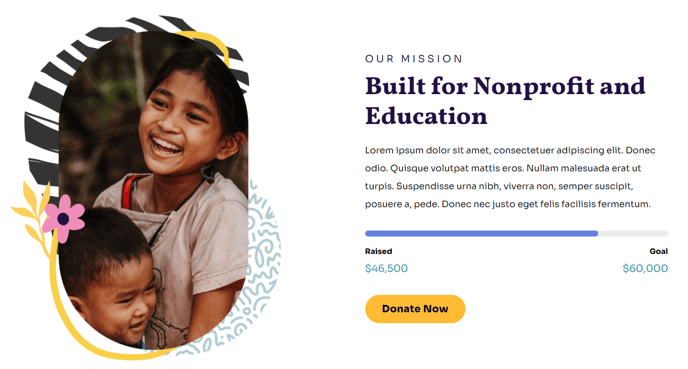
How to Use This Module
The Text and Image Columns module is designed to help nonprofits and educational organizations create compelling side-by-side layouts that combine written content with supporting visuals. This module works particularly well on landing pages, program descriptions, and impact stories where you need to balance detailed information with engaging imagery.
When adding this module through the HubSpot page editor, you’ll find it in the drag-and-drop module library under your Impact theme modules. The module automatically adapts to different screen sizes, ensuring your content remains readable and visually appealing across all devices.
The goal progress bar feature makes this module especially valuable for nonprofit campaigns and fundraising pages. You can showcase campaign progress directly within your content layout, eliminating the need for separate tracking widgets. This integration helps maintain visual consistency while providing donors with immediate progress updates.
For mobile optimization, pay attention to the image placement settings. Setting images to appear at the top on mobile devices often creates better visual hierarchy, especially when your text content includes calls-to-action or important program details that should remain prominent.
The vertical alignment options become crucial when working with images of varying heights. Center alignment typically works best for portrait-oriented photos of people or program participants, while top alignment suits landscape images or infographics better.
Consider using this module for volunteer spotlights, program overviews, annual report highlights, and testimonial sections. The eyebrow text styling is particularly effective for categorizing content like “Student Success Story” or “Community Impact,” helping visitors quickly scan and identify the type of content they’re viewing.