
Theme Form
A form module with extra options not available in HubSpot's default module.
View a live demo of this module.
Styles
- Set Dark Mode
- Change heading alignment
- Change labels position (left, top, inset)
- Change button position (left, center, right, full width, single field) and color
- Box in the form (edit background, border, box-shadow, and padding)
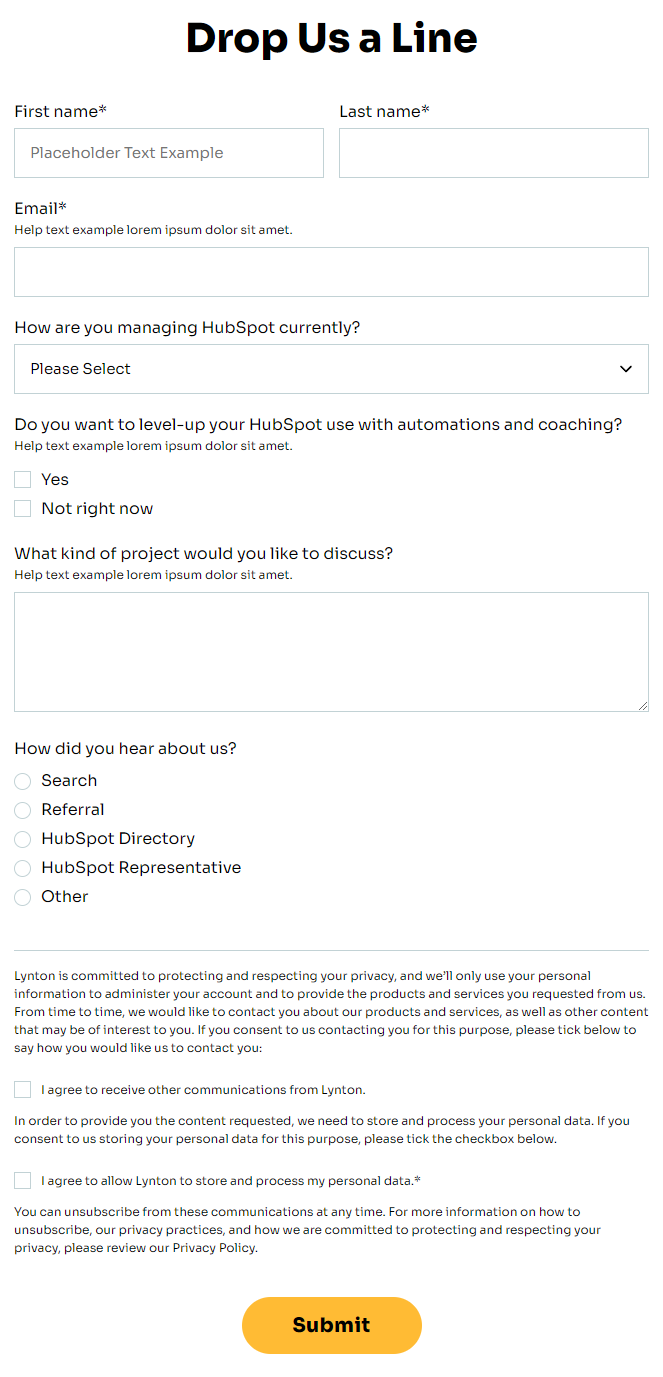
How to Use This Module
The Theme Form module serves as an enhanced alternative to HubSpot’s standard form module, giving you greater control over visual presentation while maintaining all the powerful lead capture and marketing automation features you expect. This module is particularly valuable for nonprofit and educational organizations using the Impact theme who need forms that align with their brand identity and user experience goals.
When to Choose This Module: Use the Theme Form instead of the default HubSpot form module when you need precise control over styling, especially for high-conversion pages like donation forms, volunteer registration, event sign-ups, or contact pages. The enhanced styling options make it ideal for landing pages where form design directly impacts conversion rates.
Best Practices for Implementation: When adding this module through the page editor’s drag-and-drop interface, consider your page layout first. The full-width button option works particularly well on landing pages with single conversion goals, while left-aligned buttons complement multi-column layouts. For donation or registration forms, enable the box styling with subtle shadows to create visual hierarchy and draw attention to your call-to-action.
Page Type Recommendations: This module performs exceptionally well on landing pages, contact pages, and campaign-specific pages where form conversion is the primary objective. The dark mode option integrates seamlessly with Impact’s bold typography when placed over hero images or colored backgrounds.
Integration Tips: Connect your Theme Form to HubSpot’s marketing automation workflows just like any standard form. The enhanced visual options won’t affect data collection or lead scoring functionality, but they will significantly improve user experience and brand consistency across your nonprofit or educational website.