
Hero - Landing Page
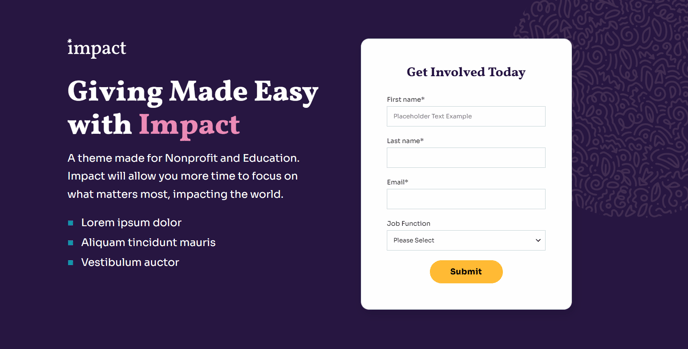
Full-width, two-column hero that includes a logo and form.
View a live demo of this section.
Modules
Usage Guide
This landing page hero section is specifically designed for high-converting campaign pages where you need to capture leads immediately upon arrival. The two-column layout balances visual impact with form conversion by placing your organization’s logo and key messaging alongside a prominent contact form or registration form.
You can add this section to any page in your HubSpot CMS through the page editor’s drag-and-drop interface. Simply click the + Add section button and select “Hero - Landing Page” from the Impact theme sections library. The full-width design ensures maximum visual impact across all device sizes, while the responsive two-column structure automatically stacks on mobile devices for optimal user experience.
When to use this section: Choose this hero over other Impact theme options when your primary page goal is lead generation or event registration. It works exceptionally well for donation campaigns, volunteer sign-ups, newsletter subscriptions, and educational program registrations. The logo placement helps reinforce brand trust at the critical conversion moment.
Customization tips: The Hero - Two Column module within this section connects directly to HubSpot forms, so you can swap in any existing form from your HubSpot portal or create new ones specifically for your campaign. Use the theme’s global color settings to ensure the hero aligns with your brand guidelines, and consider uploading high-resolution logos that will scale properly across devices.
For maximum conversion impact, keep your headline copy concise and action-oriented. The generous white space around the form draws attention to your call-to-action, so make sure your form fields are essential only – typically name, email, and one qualifying question work best for maintaining high completion rates.