
Text - Small Width
A small width section of text.
View a live demo of this section.
Modules
Usage Guide
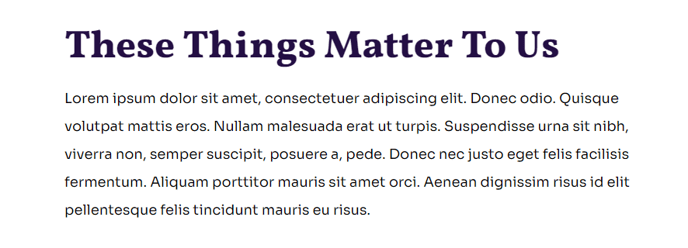
The Text - Small Width section is designed for content that needs focused readability, making it ideal for important announcements, quotes, or key messaging that you want to stand out on your nonprofit or education website. Unlike full-width text sections that can become difficult to read on large screens, this section constrains the text width to maintain optimal line length for comfortable reading.
You can add this section to any page in your Impact theme by accessing the page editor and selecting it from the available sections in the drag-and-drop interface. The section works particularly well on your homepage for mission statements, on about pages for organizational quotes, or on campaign pages where you need to highlight specific calls-to-action or key statistics.
When to choose this section: Use the Text - Small Width section when you have shorter blocks of important content that need emphasis. It’s perfect for executive quotes, organizational values, or campaign messaging where readability and visual impact are priorities. For longer-form content like blog posts or detailed program descriptions, consider using full-width text sections instead.
The Theme Rich Text module within this section gives you complete formatting control through HubSpot’s rich text editor. You can add bold text, italics, lists, and links while maintaining the section’s optimized width. The typography styling automatically inherits from your Impact theme settings, ensuring consistency with your brand colors and fonts.
Pro tip: This section pairs exceptionally well before or after full-width image sections, creating a natural reading flow that guides visitors through your content. You can also stack multiple Text - Small Width sections with different background colors to create visual variety while maintaining readability.