
Two Column - Text
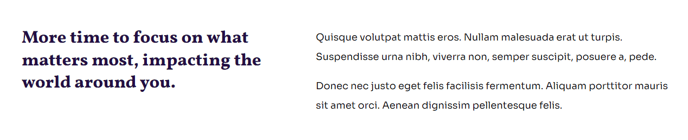
Simple two columns of text.
View a live demo of this section.
Modules
Usage Guide
The Two Column - Text section provides a clean, balanced layout for presenting content side-by-side in your HubSpot pages. This section works particularly well when you need to create visual hierarchy between related information, such as comparing programs, highlighting key points alongside explanatory text, or presenting testimonials with supporting details.
When you add this section through the page editor’s drag-and-drop interface, you’ll immediately have access to two identical text columns that automatically adjust to your theme’s responsive breakpoints. On mobile devices, the columns stack vertically to maintain readability, ensuring your content looks professional across all screen sizes.
Content Strategy Tips: Consider using this section to present contrasting information (before/after scenarios, problem/solution pairs) or complementary content that benefits from side-by-side presentation. The equal-width columns work best when your text content is roughly similar in length between both sides.
Customization Options: Each column utilizes the Theme Rich Text module, giving you full control over typography, formatting, and styling within your content. You can adjust text alignment, add bulleted lists, incorporate hyperlinks, and apply emphasis formatting directly through the rich text editor. The section inherits your Impact theme’s bold typography settings automatically, ensuring consistency with your overall design.
Best Practices: Keep your content scannable by using shorter paragraphs and clear headings within each column. This section pairs well with full-width hero sections above it and works effectively on landing pages, about pages, and program description pages where detailed information needs clear organization. For visual variety, consider alternating this text-focused section with image-heavy sections throughout your page layout.