
Team Member
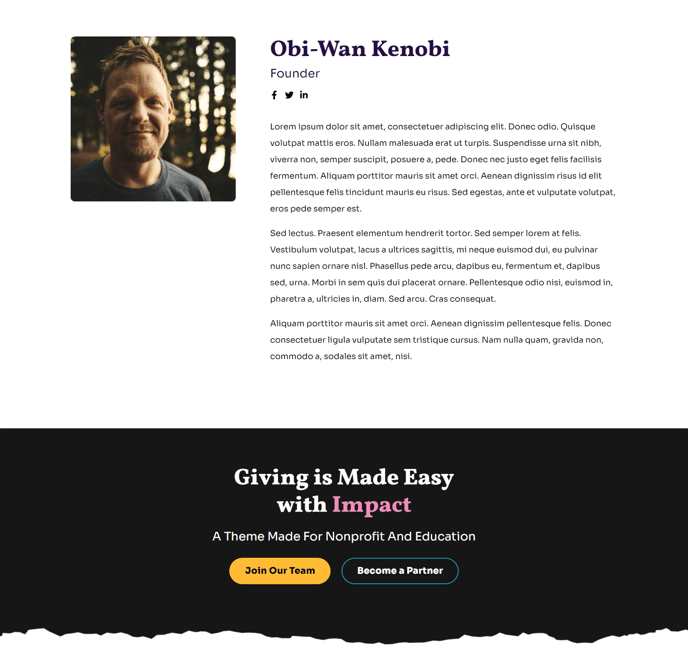
Image, socials, and bio of a single team member.
Default Modules:
How to Use This Template
The Team Member template creates dedicated profile pages that showcase individual staff, faculty, or board members with professional layouts optimized for nonprofit and educational organizations. This template works best when you need to provide detailed information about key personnel while maintaining the Impact theme’s bold, mission-focused design aesthetic.
Setting Up Team Member Pages
When creating a new page with this template, you’ll start with a clean layout featuring the transparent header that maintains visual continuity with your site’s homepage. The Theme Image module at the top is specifically configured for professional headshots or team photos, with built-in responsive sizing that ensures portraits look crisp on all devices.
Use the Theme Rich Text module to craft compelling biographical content that goes beyond basic job descriptions. This module supports the Impact theme’s typography hierarchy, so you can include formatted sections for education, experience, achievements, and personal interests that align with your organization’s storytelling approach.
Maximizing Social Connectivity
The Social Follow module is strategically positioned to encourage visitors to connect with team members on professional networks. Configure this module to include LinkedIn, Twitter, or platform-specific profiles that reinforce your organization’s thought leadership and community engagement goals.
Content Strategy Tips
Structure your team member content to include mission-relevant details that resonate with donors, students, or stakeholders. The Call to Action Box at the bottom provides an opportunity to guide visitors toward related content, donation pages, or contact forms. Consider linking to related team members, department pages, or key organizational initiatives.
For consistency across multiple team profiles, establish content guidelines for photo dimensions, biographical length, and social media inclusion before building out your complete team directory.