
Text Block
Block of text content with optional eyebrow, heading, subheading, body text, and lists.
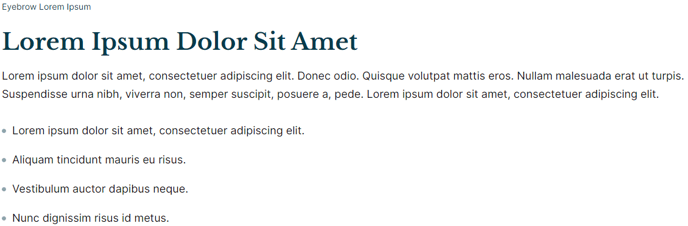
**
View a live demo of this module.**
The following is a detailed listing of all the Content and Style fields available in this module.
Content
Styles
- Dark Mode [Boolean]
Check this to use Dark Mode colors set in the Theme Settings. - Module [Group]
- Module Styles [Common Module Fields]
- Text Styles [Common Module Fieds]
How to Use the Text Block Module
The Text Block module serves as the foundation for content creation in your Rubric theme, making it one of the most versatile tools in the HubSpot page editor. You can drag this module onto any page template to create structured, readable content sections that maintain consistent typography and spacing throughout your educational or event-focused website.
This module excels on landing pages where you need to explain complex topics, about pages that require multiple content sections, and resource pages where information hierarchy matters. The eyebrow text feature is particularly useful for creating category labels above headings, while the subheading option helps break down complex information into digestible chunks.
When building content-heavy pages typical of educational institutions, you can stack multiple Text Block modules to create a flowing narrative. Each module instance maintains its own styling options, allowing you to alternate between standard and dark mode sections for visual variety. This approach works especially well for course descriptions, faculty bios, or event details.
Pro tip: Use the Text Block’s list functionality instead of manually typing bullet points or numbers in the body text. This ensures proper semantic markup for accessibility and maintains consistent spacing that aligns with your theme’s typography system.
The module automatically inherits global text styles from your theme settings while giving you granular control through the Text Styles group. This means you can maintain brand consistency across your site while still customizing individual sections when needed. For maximum impact, combine Text Blocks with other Rubric modules like image galleries or call-to-action sections to create comprehensive page layouts that engage your audience and support your institutional goals.