
Blog Post - Content Footer
Content such as blog author blurb and comments that is placed directly beneath the post body.
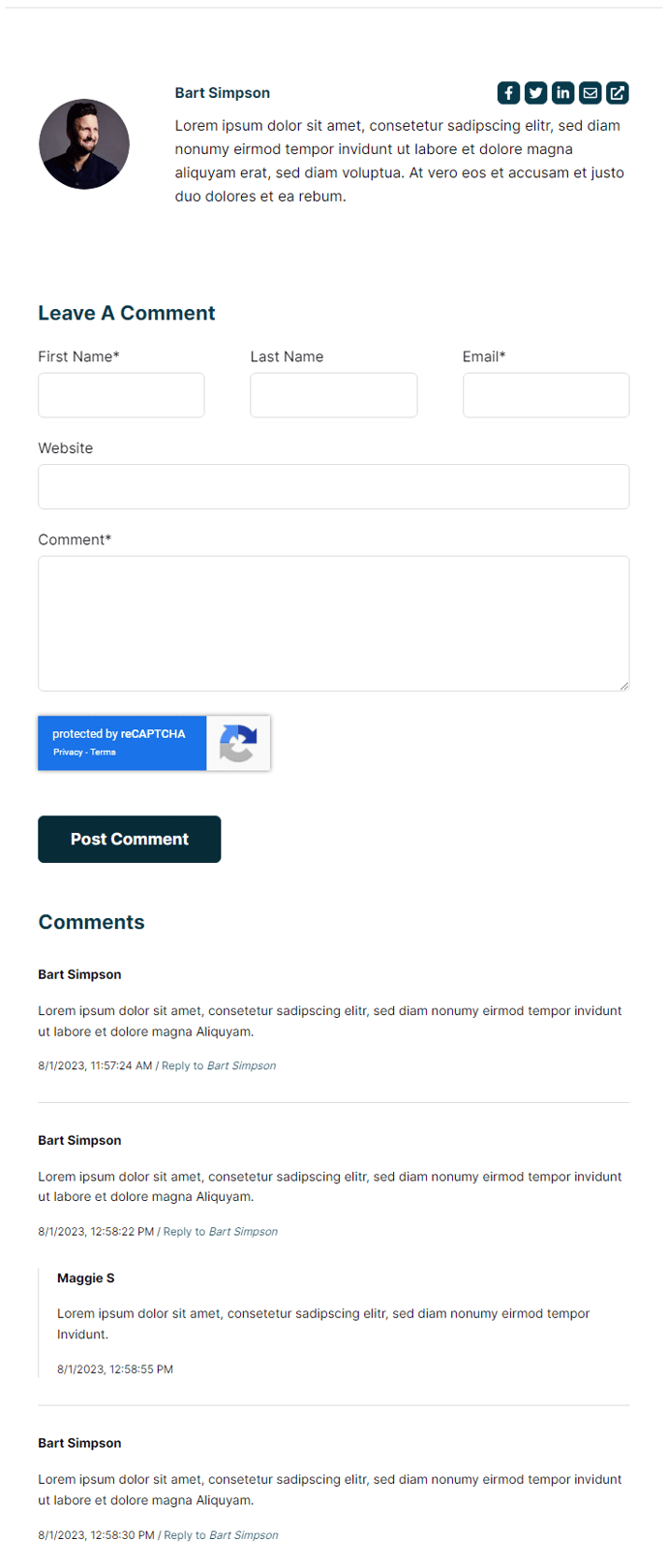
View a live demo of this partial here.
The following is a detailed listing of the styling edits made to the partial’s sections, the modules used in the sections, and field changes from the modules’ default state.
Section 1
Section Styles
Alignment and spacing > Content alignment
Full Width
Alignment and spacing > Padding
Top: 70
Modules
**Divider Line
**No changes to default content.
Content Type
Single Blurb
Use Blog Post/Listing Author
True
Styles > Module > Background
Color: theme.global.colors.backgrounds.base.color
Styles > Module > Spacing > Desktop > Padding
Top: 1
Bottom: 1
Right: 1
Left: 1
Styles > Image > Borders
Radius: 100
Styles > Text > Heading > Margin
Bottom: 10
Styles > Icons > Size
15
Styles > Icons > Spacing > Padding
Top: 4
Right: 4
Bottom: 4
Left: 4
Section 2
Visible Elements
Heading
Style Heading Level
4
Styles > Module > Spacing > Desktop > Padding
Bottom: 18
Blog Comments (default HubSpot module)
No changes to default content.
About This Feature
The Blog Post Content Footer partial serves as the closing element of your blog post template, providing essential post-engagement features that help build reader relationships and encourage interaction. This partial automatically pulls author information from your HubSpot blog settings, creating a seamless connection between your content and the people behind it.
When customizing this partial in the page editor, you’ll notice it’s structured in two distinct sections. The first section combines a visual divider with the author biography module, which dynamically displays information from the blog post author’s HubSpot user profile. Since this partial uses the “Use Blog Post/Listing Author” setting, you won’t need to manually select authors for each post — the system automatically matches the content to the assigned writer.
The author bio section leverages the People module configured as a “Single Blurb,” giving you flexibility to showcase author headshots, biographical information, and social media links. The circular image styling (100% border radius) creates a modern, approachable appearance that works particularly well for educational institutions where faculty credibility is important.
The second section incorporates HubSpot’s native blog comments module, enabling reader engagement without requiring third-party integrations. This is especially valuable for educational content where discussion and Q&A naturally extend the learning experience.
Since this is a global partial, any styling changes you make will automatically apply across all blog posts using this template. This ensures brand consistency while saving you time on individual post formatting. The structured layout encourages readers to learn more about your authors and participate in discussions, supporting the content-first approach that makes Rubric ideal for knowledge-sharing websites.