
FAQ - Two Column
Frequently asked questions split into two columns.
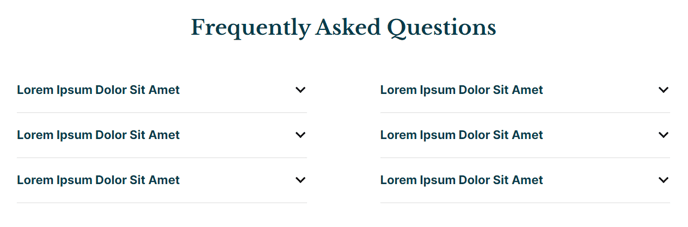
View a live demo of this section here.
The following is a detailed listing of the styling edits made to the section, the modules used in the section, and field changes from the modules’ default state.
Section Styles
No styles have been applied
Modules
Styles > Module > Spacing > Desktop > Padding
Bottom: theme.global.spacing.rows * 2
Styles > Alignment > Desktop
Center
Layout > Desktop
Columns: 2
Column Spacing: 135
Layout > Tablet
Column Spacing: 35
Layout > Mobile
Columns: 1
Usage Guide
The FAQ - Two Column section provides an elegant way to display frequently asked questions in a balanced, scannable layout that works particularly well for educational institutions and resource-heavy sites. This section combines a centered text block header with a two-column collapsible content module, creating a professional FAQ presentation that automatically adapts to different screen sizes.
When adding this section to your page through HubSpot’s page editor, you’ll find it most effective on dedicated FAQ pages, program information pages, or as a supporting section on landing pages where visitors need quick access to common questions. The two-column desktop layout allows you to organize related questions by category or topic, with each column handling its own set of expandable content items.
Content Organization Tips:
Structure your FAQ items strategically by placing the most important or frequently searched questions in the left column, as users typically scan from left to right. For educational institutions, consider grouping admissions questions in one column and academic program questions in the other. Event organizers can separate logistical questions from registration inquiries.
Mobile Optimization:
The section automatically collapses to a single column on mobile devices, ensuring your FAQ content remains accessible across all devices. The reduced column spacing on tablets (35px) and mobile maintains readability while maximizing screen real estate.
You can customize the header text block to include an introduction to your FAQ section or specific instructions for users. Since the text block uses center alignment with bottom padding, it creates clear visual separation between your introductory content and the collapsible questions below, improving the overall user experience and content hierarchy.