
Hero - Resource
A hero section with an image, social share, and a call to action button.
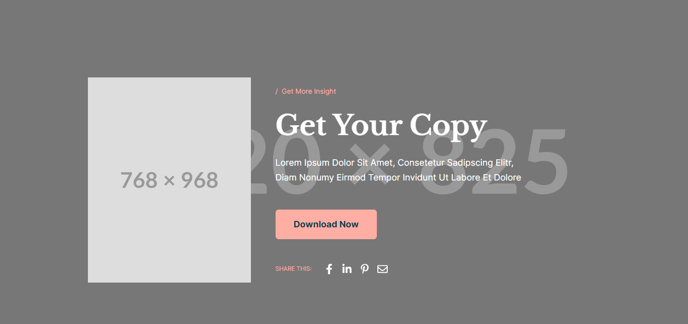
View a live demo of this section here.
The following is a detailed listing of the styling edits made to the section, the modules used in the section, and field changes from the modules’ default state.
Section Styles
Alignment and spacing > Max Width
theme.global.max_width_narrow
Alignment and spacing > Padding
Top: 160
Bottom: 85
Alignment and spacing > Vertical alignment
Middle
Modules
Media Type
Image
Styles > Module > Animation
Fade Up
Visible Elements
Eyebrow, Heading, Body Text
Semantic Heading Level
1
Style Heading Level
1
Styles > Dark Mode
true
Styles > Module > Max Width
520
**
Utility**
Utility Items
Utility Type: Button
Styles > Module > Spacing > Desktop > Padding
Top: theme.global.spacing.rows * 2
Bottom: theme.global.spacing.rows * 2
Social Type
Share
Styles > Dark Mode
true
Styles > Icons > Enclose
false
Usage Guide
The Hero - Resource section is specifically designed for content-rich pages where you need to create immediate visual impact while promoting engagement and sharing. This section works exceptionally well on blog posts, whitepapers, case studies, and educational resource pages where the content itself is the primary value proposition.
When adding this section through HubSpot’s page editor, you’ll notice it uses a narrow max-width layout that creates focused attention on your content rather than spreading elements across the full viewport. This makes it particularly effective for resource pages where readability and content consumption are priorities.
The dark mode styling applied to both the text block and social sharing modules ensures consistent theming if your site uses dark backgrounds or if you’ve enabled the Rubric theme’s dark mode features in your global settings. You can easily toggle this in the module styling options if your page design requires a different approach.
Best practices for this section:
- Use high-quality images in the media module that relate directly to your resource content
- Keep your heading concise but descriptive since it uses semantic H1 level
- The eyebrow text works well for categorizing content types (e.g., “Case Study,” “White Paper,” “Course Material”)
- Position this section at the top of resource pages to immediately establish context and encourage social sharing
The social share functionality is particularly valuable for educational institutions and content marketers who want to amplify their resource distribution. Since the utility module includes call-to-action buttons with generous padding, you can direct users to download resources, enroll in courses, or navigate to related content while maintaining the section’s clean, structured appearance.