
Tabs - Link Style
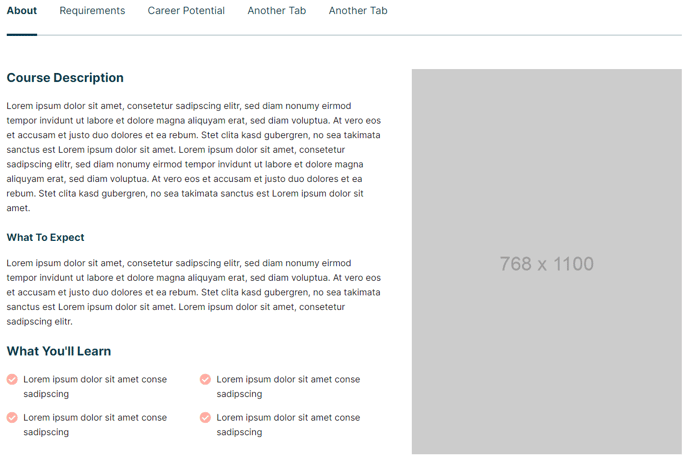
Tabbed section with link style tabs.
View a live demo of this section here.
The following is a detailed listing of the styling edits made to the section, the modules used in the section, and field changes from the modules’ default state.
Section Styles
No styles have been applied.
Modules
Tabs
Styles > Tabs > Navigation Style
Link
Usage Guide
The Tabs - Link Style section provides a clean, minimalist approach to organizing content using tabbed navigation that resembles text links rather than traditional button-style tabs. This section works exceptionally well for education institutions showcasing different programs, course catalogs, or resource collections where you want the navigation to feel integrated with your content rather than standing out as separate UI elements.
You can add this section to any page in your Rubric theme by accessing the page editor and selecting it from the available sections in the drag-and-drop interface. The link-style navigation creates a more subtle, content-focused experience compared to the standard button or card-style tab options, making it ideal for academic content, resource libraries, or FAQ sections where readability and accessibility are priorities.
When implementing this section, consider that the link-style tabs work best with 3-5 content areas to maintain visual balance. The navigation remains readable and doesn’t overwhelm users with choices. This makes it particularly effective for organizing related content like degree programs by department, event schedules by day, or resource materials by topic.
The section integrates seamlessly with Rubric’s content-first design philosophy, ensuring your tabbed content maintains the theme’s clean typography and spacing standards. You can populate each tab with rich content including text, images, buttons, and even embed other modules as needed. Since no additional section-level styles are applied, the tabs inherit your theme’s global styling, ensuring consistency across your site while the link navigation style keeps the focus on your content rather than the interface elements themselves.