
Text - Informational
Two columns with heading, image, and further text to provide more information.
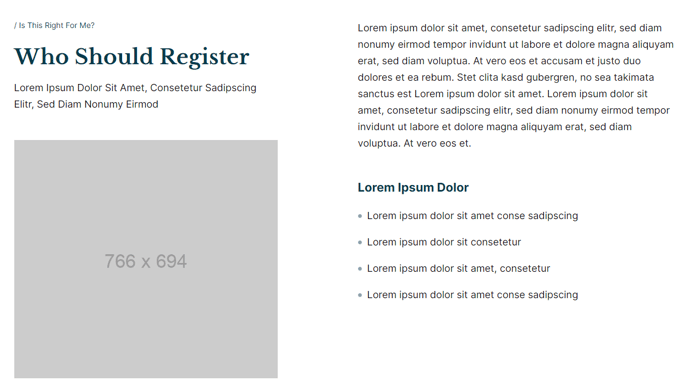
View a live demo of this section here.
The following is a detailed listing of the styling edits made to the section, the modules used in the section, and field changes from the modules’ default state.
Section Styles
No styles have been applied.
Modules
Visible Elements
Eyebrow, Heading, Body Text
Media Type
Image
Image
Src: Placeholder
Width: 766
Height: 694
Styles > Module > Spacing > Desktop > Margin
Top: theme.global.spacing.rows * 2
Styles > Module > Animation
Fade Up
Visible Elements
Body Text
Styles > Module > Max Width
575
Styles > Module > Alignment
Desktop: Right
Tablet: Left
Styles > Module > Spacing > Desktop > Padding
Bottom: theme.global.spacing.rows * 2
Visible Elements
Heading, Body Text
Semantic Heading Level
3
Style Heading Level
4
Styles > Module > Max Width
575
Styles > Module > Alignment
Desktop: Right
Tablet: Left
How to Use This Section
The Text - Informational section creates a sophisticated two-column layout that’s particularly effective for showcasing key features, explaining complex concepts, or highlighting important announcements on your HubSpot pages. This section leverages the Rubric theme’s structured approach to present information in a visually balanced format that guides readers through your content naturally.
When adding this section through the HubSpot page editor, you’ll find it works exceptionally well on About pages, service descriptions, and program overview pages where you need to combine compelling visuals with detailed explanations. The layout automatically adapts from a side-by-side desktop view to a stacked mobile arrangement, ensuring your content remains accessible across all devices.
Key advantages of this section include:
- The fade-up animation on the media module creates an engaging entry effect that draws attention to your supporting image
- Flexible text alignment allows you to position descriptive text to the right on desktop while maintaining left alignment on tablets for better readability
- Semantic heading structure with H3 level headings helps maintain proper page hierarchy for SEO while styling them as H4 for visual consistency
To maximize effectiveness, consider using high-contrast images that complement rather than compete with your text content. The 766x694 pixel image dimensions work best with vertical or square imagery. You can easily swap placeholder content by clicking into each text block module and updating the heading, eyebrow text, and body copy directly in the page editor.
This section pairs well with other Rubric components like feature grids or testimonial sections to create comprehensive landing pages that convert visitors into engaged prospects.