
Text - Intro
Large text section with a two-column list for a page introduction.
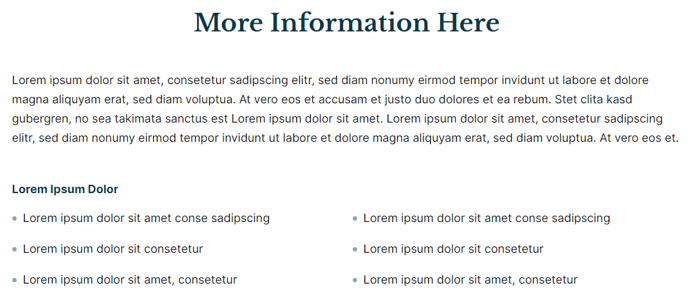
View a live demo of this section here.
The following is a detailed listing of the styling edits made to the section, the modules used in the section, and field changes from the modules’ default state.
Section Styles
Alignment and spacing > Max width
theme.global.max_width_narrow
Modules
Visible Elements
Heading
Styles > Module > Spacing > Desktop > Padding
Bottom: theme.global.spacing.rows * 2
Styles > Alignment
Desktop: Center
Visible Elements
Body Text
Styles > Module > Spacing > Desktop > Padding
Bottom: theme.global.spacing.rows * 2
Visible Elements
Heading, Body Text
Semantic Heading Level
3
Style Heading Level
5
List Columns
true
How to Use This Section
The Text - Intro section is designed to create compelling page openings that immediately engage your visitors with clear, scannable content. This three-module layout works particularly well for landing pages, program overviews, and resource hub introductions where you need to quickly communicate value propositions or key information.
When adding this section through HubSpot’s drag-and-drop page editor, you’ll notice it automatically applies the theme’s narrow max-width setting, creating focused content that’s easy to read on all devices. The centered alignment draws attention to your introductory message, making it perfect for pages where first impressions matter most.
Content Strategy Tips: Use the first text block for your primary headline that captures attention, the second for a compelling subheading or brief description, and the third for a two-column list of benefits, features, or key points. The two-column list format is especially effective for comparing options, highlighting program benefits, or presenting structured information that might otherwise appear overwhelming in paragraph form.
The semantic heading structure (H3 styled as H5) ensures proper SEO hierarchy while maintaining visual consistency with the Rubric theme’s typography system. This is particularly important for education sites where content accessibility and search engine optimization are priorities.
Best Practices: Consider this section for course description pages, event landing pages, or any content hub where visitors need quick orientation. The generous bottom padding on each module creates natural reading flow, while the narrow width prevents content from becoming too spread out on larger screens. You can easily customize the text content directly in HubSpot’s page editor without needing to adjust the underlying module settings, making it ideal for content teams who regularly update introductory messaging.