
Blog Post Hero V2
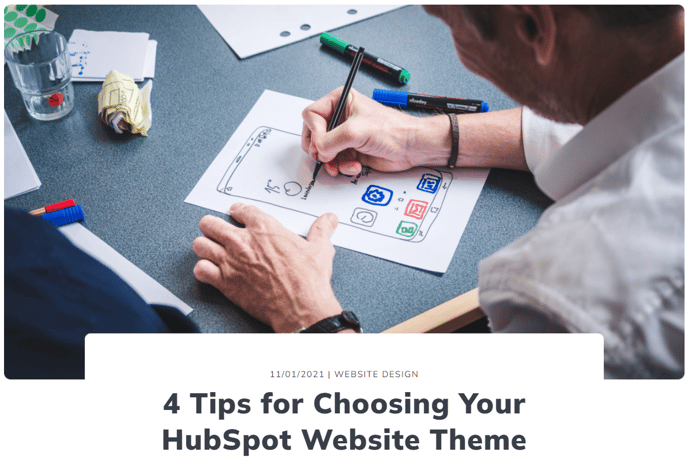
A hero specifically for blog post templates with a large image overlapped by post info
View a live demo of this module.
Content
- Show/hide author, date, and/or description
- Show either the publish date or last updated date
- Use meta description as the description or write a custom one
- Use a custom image instead of the featured image
- Set image either as a background or to the right of the post info
- If image is set as a background—add an overlay to it
- Include a down arrow
Styles
- Set Dark Mode
- Change max width of hero
- Change max with of text content
- Change position (left, right, center)
- Change text alignment
- Edit padding
Usage Guide
The Blog Post Hero V2 module is specifically designed for blog post templates and serves as a powerful alternative to standard blog headers. Unlike basic blog layouts, this module creates a magazine-style presentation that immediately captures reader attention with its distinctive image overlay design.
When adding this module to your blog post templates through the HubSpot page editor, you’ll find it works exceptionally well as the primary hero section immediately following your navigation. The module automatically pulls content from your blog post’s metadata, including the featured image, publish date, and meta description, which means content editors don’t need to manually configure these elements for each post.
The image positioning options give you significant design flexibility. When set as a background image with overlay, you create a dramatic full-width hero that works well for lifestyle, business, or creative blogs. The right-positioned image option provides a cleaner, more professional layout that’s ideal for technical content, case studies, or corporate communications.
Pro tip: If you’re using custom images instead of featured images, ensure they’re at least 1200px wide for optimal display across all devices. The module’s responsive design will handle the scaling automatically.
The down arrow feature serves as a visual cue that encourages readers to continue scrolling, which can improve your blog’s engagement metrics. This is particularly effective when your blog content starts immediately below the hero section.
For blogs with multiple authors or guest contributors, enabling the author display helps build personal connections with readers. The date flexibility between publish and updated dates is valuable for evergreen content that you regularly refresh—showing the updated date can signal to readers that the information is current.