
Callout Content Box
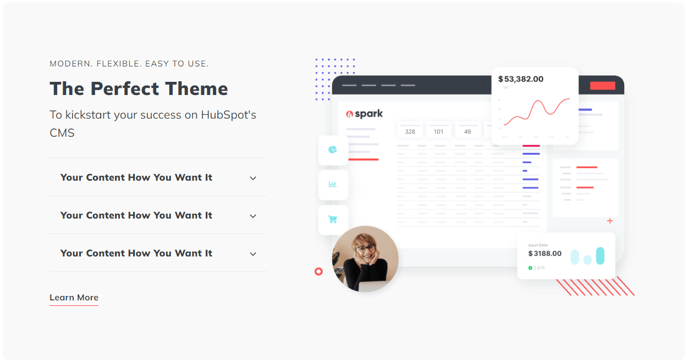
A box to call out some static text, collapsible text, buttons, image, form, and/or video
View a live demo of this module.
Content
- Include image, form, or popup on media side
- Include text, collapsible text, and/or CTA buttons on content side
- Choose content alignment (left or right)
- Choose row alignment (top, center, bottom)
Styles
- Set Dark Mode
- Change text alignment
- Split lists into two columns
- Change background color
How to Use This Module
The Callout Content Box module is perfect for highlighting important information on your HubSpot pages without overwhelming your visitors. This versatile module works exceptionally well on landing pages, service pages, and blog posts where you need to draw attention to key messages, special offers, or important announcements.
When adding this module through the HubSpot page editor, you’ll find it particularly effective for breaking up long sections of text and creating visual interest on content-heavy pages. The two-sided layout allows you to balance visual elements with compelling copy, making it ideal for product features, testimonials with headshots, or lead magnets paired with forms.
Best practices for content placement: Position compelling headlines or value propositions in the text area, while using the media side for supporting visuals like product screenshots, team photos, or embedded HubSpot forms. The collapsible text feature is especially useful for FAQ sections or detailed product specifications that might otherwise clutter your page layout.
The content alignment options give you flexibility in your page design flow. Choose left-aligned content when this module follows a right-aligned section, creating a natural zigzag reading pattern that keeps visitors engaged. The row alignment settings help you maintain visual hierarchy—use center alignment for balanced layouts or top alignment when your content varies significantly in length.
Dark mode functionality makes this module adaptable to your brand’s visual identity and works seamlessly with Spark Premium’s global theme settings. The two-column list option is particularly effective for feature comparisons or benefit lists, helping you present information clearly without requiring visitors to scroll through long single-column lists.
Consider using multiple Callout Content Box modules in sequence with alternating alignments to create an engaging, scannable page layout that guides visitors toward your conversion goals.