
CTA Box V2
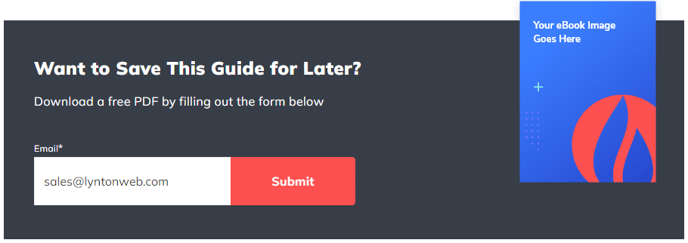
A styled box that includes text, a form, and an image
View a live demo of this module.
Styles
- Set Dark Mode
- Change background (theme default, color, gradient, image)
How to Use This Module
The CTA Box V2 module is designed to create compelling conversion-focused sections that combine visual appeal with lead generation functionality. Unlike standard CTA modules that only display buttons or text, this module integrates a HubSpot form directly within a styled container alongside supporting imagery and messaging.
You can drag this module onto any page template in your HubSpot page editor, making it particularly effective on landing pages, service pages, and blog posts where you want to capture leads mid-content. The module works exceptionally well as a sidebar element on blog templates or as a prominent section on your homepage.
When customizing the background options, consider your page’s overall design hierarchy. The gradient backgrounds can create sophisticated visual depth, while image backgrounds allow you to reinforce your brand messaging. The dark mode toggle is especially useful when placing the module over light-colored page sections, as it automatically adjusts text contrast for optimal readability.
For form integration, the module automatically inherits your HubSpot form styling from the Spark Premium theme settings, ensuring consistency across your site. You can select any existing form from your HubSpot portal, and the module will handle the responsive layout automatically.
Best practice tip: Position this module strategically after valuable content when visitors are most engaged, rather than immediately at the top of pages. On service pages, place it after describing your solution but before testimonials. On blog posts, consider adding it after your introduction or mid-way through longer articles.
The module’s responsive design ensures your CTA performs well across all devices, with the image and form elements automatically stacking on mobile viewports for optimal user experience.