
Related Posts
Dynamically generated posts related to the content of the current page
View a live demo of this module.
Content
- Show most recent posts, post with specific tags, and/or post within a specific date range
- Limit how many posts to show
- Set what blogs to pull from (pulls from portal’s Default blog by default)
- Show/hide thumbnail, date, tag, and/or summary
Styles
- Set Dark Mode
- Change text alignment
- Change background color of posts
- Edit border styling of posts (color, width, radius)
- Edit module spacing
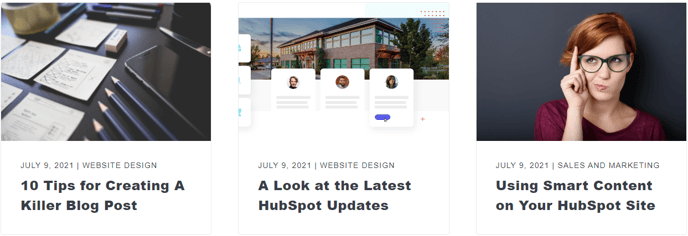
How to Use This Module
The Related Posts module helps increase visitor engagement and time-on-site by automatically displaying relevant blog content based on the current page they’re viewing. This intelligent module uses HubSpot’s content relationship algorithms to surface posts that share similar topics, tags, or categories, encouraging readers to continue exploring your blog.
When to use this module: Add the Related Posts module to your blog post templates, landing pages discussing specific topics, or resource pages where you want to guide visitors to additional reading material. It’s particularly effective at the bottom of blog posts or in sidebar areas where readers naturally look for next steps.
Setup and configuration: After dragging the module from the sidebar into your page editor, configure the content settings to match your content strategy. If you maintain multiple blogs within your HubSpot portal, specify which blogs to pull from rather than relying on the default blog setting. This ensures you’re showing the most relevant content to your audience.
The tag-based filtering option is especially powerful when you maintain consistent tagging across your blog posts. By setting specific tags, you can create themed content clusters that guide readers through related topics systematically.
Design considerations: The module’s styling options allow you to maintain visual consistency with your overall page design. Dark mode settings are particularly useful when placing the module on pages with darker color schemes, while the background color and border styling options help the related posts stand out without creating visual conflicts with surrounding content.
For optimal performance, limit the number of displayed posts to 3-6 items to avoid overwhelming visitors while still providing meaningful choices for continued reading.