
Blog Sidebar Resource Listing
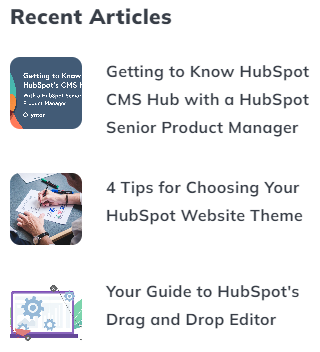
A condensed list of dynamically generated or manually added posts/resources particularly useful in a sidebar.
View a live demo of this module.
Content
- Include a heading
- Choose where you want the posts to be pulled in from (manually entered, most recent or popular posts, or from a particular blog tag).
- Blog to pull posts from if not pulling from the default blog.
Styles
- Set Dark Mode
- Select number of posts to show
- Choose to display Thumbnail, Date, and/or tag
- Change placement of Thumbnail (top, right, bottom, left)
- Change text alignment (left, center, right)
- Edit module spacing
How to Use This Module
The Blog Sidebar Resource Listing module serves as a powerful content discovery tool that transforms empty sidebar space into an engaging hub for your most important posts and resources. This compact module works exceptionally well on blog post pages, landing pages, and resource centers where you want to keep visitors engaged with related content without overwhelming the primary page content.
When adding this module through the HubSpot page editor’s drag-and-drop interface, you’ll find it particularly effective in narrow column layouts where traditional blog listing formats would feel cramped. The module’s condensed design ensures readability even in sidebar widths as narrow as 250 pixels.
Strategic placement tips: Position this module in the upper portion of your sidebar on blog posts to showcase related content by tag, or use it on your homepage sidebar to highlight your most popular posts. The dynamic content options make it ideal for creating “Related Posts” or “Trending Now” sections that update automatically as you publish new content.
The manual content selection option becomes invaluable when you want to promote specific resources regardless of publication date or popularity metrics. This works particularly well for evergreen content, lead magnets, or cornerstone articles that drive conversions.
Content editor workflow: After dragging the module into position, configure your content source first, then adjust the visual settings to match your page’s design. The thumbnail placement options let you optimize for your sidebar width—left or right placement works best for wider sidebars, while top placement ensures readability in narrow spaces.
Remember that this module pulls from your HubSpot blog’s existing content, so ensure your featured posts have compelling titles and thumbnail images that will display effectively at smaller sizes within the sidebar layout.