
Testimonials Slider
A slider of testimonials including a quote and meta content (name and title)
View a live demo of this module.
Content
- Add as many testimonials as you would like
- Include logo, quote, meta text (name and title), and/or profile image
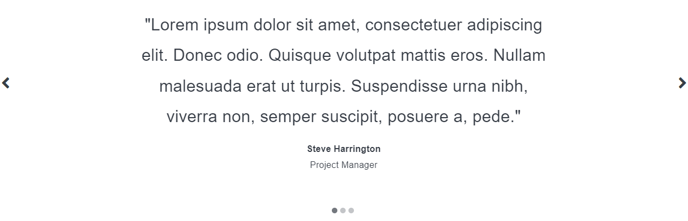
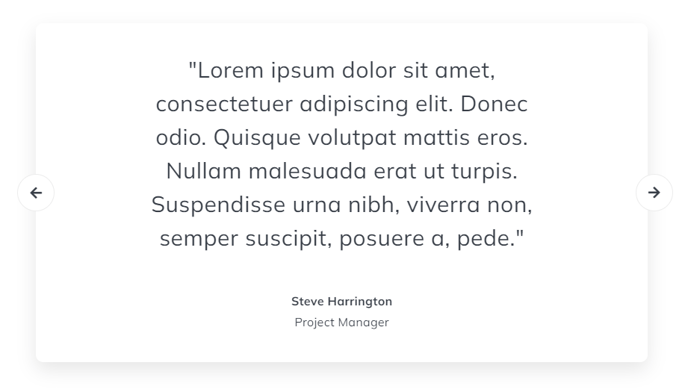
- Pick between two styles
Styles
- Set Dark Mode
- Change text alignment
- Split lists into two columns
- (For style version 2) Change active and inactive background color
- (For style version 2) Edit box shadow styling
- Edit padding
Note: Edit these following styles from your Theme Settings under the Sliders section.
- Change arrow and arrow hover colors
- Change dot (pagination) and dot hover colors
- Change Dark Mode arrow and dot colors
Note: Edit these following styles from your Theme Settings under the Components > Testimonials section.
- Customize quote text styling
- Customize meta text styling
How to Use This Module
The Testimonials Slider module is designed to showcase customer feedback and build trust with your website visitors through an interactive carousel format. This module works particularly well on homepage hero sections, service pages, and dedicated testimonials pages where you want to highlight multiple customer experiences without overwhelming the page layout.
When adding this module to your pages through the HubSpot page editor, you’ll find it performs best when placed in prominent positions where visitors naturally pause to read content. Consider using it below your main value proposition or before call-to-action sections to reinforce credibility at crucial decision points.
Setting Up Your Content: Start by gathering high-quality testimonials that include specific details about results or experiences. The module supports both text-only testimonials and those with accompanying profile images or company logos. For maximum impact, aim for testimonials of similar length to maintain visual consistency as users navigate through the slider.
Choosing the Right Style: The two available styles serve different design purposes. Style 1 offers a cleaner, more minimal approach that works well on pages with busy backgrounds or multiple content sections. Style 2 provides more visual definition with customizable background colors and shadows, making it ideal for standalone sections or when you want the testimonials to be the focal point.
Optimization Tips: When configuring the slider arrows and pagination dots in your Theme Settings, consider your overall site color scheme and ensure sufficient contrast for accessibility. The Dark Mode option automatically adjusts colors when visitors enable dark mode preferences, maintaining readability across different viewing conditions.
For sites with extensive testimonials, consider creating multiple instances of this module on different pages, each featuring testimonials relevant to specific services or customer segments.