
Testimonials Static
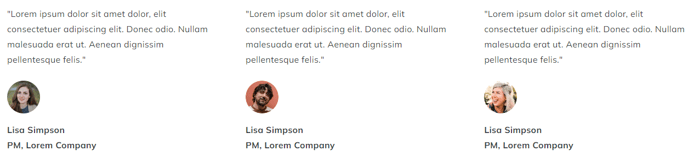
Set of simple static testimonials in columns.
View a live demo of this module.
Content
- Set how many columns you want per row
- Add quote, image, name, and title
Styles
- Set Dark Mode
- Change text alignment
- Split lists into two columns
- Edit module spacing
Usage Guide
The Testimonials Static module is designed to showcase customer feedback and reviews in a clean, organized grid layout on your HubSpot pages. Unlike dynamic testimonial modules that pull from databases, this static version gives you complete control over which testimonials appear and in what order, making it ideal for featuring your most compelling customer stories.
This module works particularly well on landing pages, service pages, and your homepage where social proof can significantly impact conversion rates. The column-based layout automatically adapts to different screen sizes, ensuring your testimonials remain readable on mobile devices while maximizing visual impact on desktop.
When adding testimonials through the page editor, you’ll want to keep quote lengths relatively consistent to maintain visual balance across columns. If you have testimonials of varying lengths, consider placing longer quotes in single-column rows or editing them down to key phrases. The image field supports both headshots and company logos, giving you flexibility in how you represent each testimonial source.
The Dark Mode toggle in the style settings is particularly useful when placing this module on pages with darker backgrounds or when you want the testimonials to stand out as a distinct section. You can also leverage the text alignment options to match your overall page design — center alignment works well for homepage hero areas, while left alignment integrates seamlessly into service or product pages.
For maximum impact, consider grouping testimonials by theme or service type when using multiple instances of this module throughout your site. The module’s spacing controls allow you to fine-tune the visual hierarchy between testimonial sections and other page content.