
Thumbnail Slider
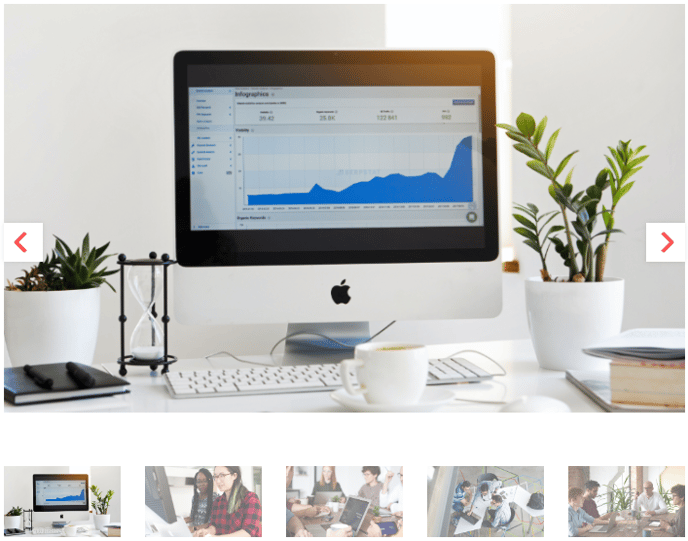
An image slider with a thumbnail navigation.
View a live demo of this module.
Styles
- Change max slider height and thumbnail height
- Add padding and margin to module
How to Use This Module
The Thumbnail Slider module creates an engaging visual experience by combining a main image display with clickable thumbnail navigation below. This makes it perfect for showcasing product galleries, project portfolios, or any collection of related images where visitors need quick visual access to multiple photos.
You can add this module to any page type in your HubSpot page editor by dragging it from the module library onto your page. The module works particularly well on product pages, case study templates, and portfolio sections where you want to highlight multiple angles or variations of your subject matter.
Setting Up Your Images
When configuring the module, upload your images in the order you want them to appear. The first image becomes your default display, while all images generate thumbnails automatically. For the best visual results, use images with consistent aspect ratios—this prevents jarring size changes as visitors click between thumbnails.
Customization Options
The module’s style settings let you control the visual hierarchy of your image gallery. Adjusting the max slider height ensures your main images don’t overwhelm other page content, while thumbnail height customization helps maintain visual balance with your overall page design. The padding and margin controls allow you to create appropriate spacing between this module and surrounding content.
Best Practices
Limit your image collection to 5-8 photos for optimal user experience—too many thumbnails can create decision paralysis. Consider the mobile viewing experience when setting heights, as very tall sliders may push important content below the fold on smaller screens. This module pairs exceptionally well with text modules positioned alongside or below to provide context for your image collections.