
FAQs
A frequently asked questions section with a heading.
View a live demo of this section.
Modules:
How to Use This Section
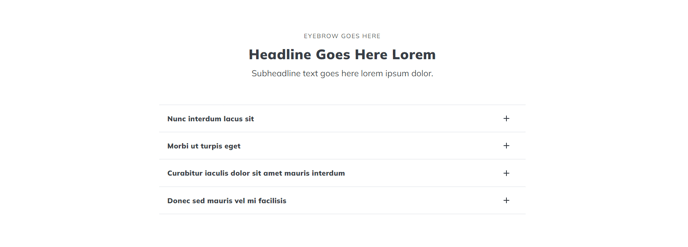
The FAQs section provides a clean, structured way to present frequently asked questions on any page of your HubSpot site. This section combines a customizable heading area with an expandable accordion format, making it perfect for customer support pages, product information pages, or service landing pages where visitors need quick access to common answers.
When you drag this section into the HubSpot page editor, you’ll notice it’s built with two key components working together. The Theme Rich Text module at the top allows you to add a compelling headline, introductory paragraph, or call-to-action above your questions. This is particularly useful for setting context—you might write something like “Common questions about our pricing” or “Everything you need to know about getting started.”
The Accordion module below handles your actual Q&A pairs. Each question appears as a clickable header that expands to reveal the answer, keeping your page organized and scannable. You can add unlimited question-and-answer pairs through the module settings, and each answer supports rich formatting including links, images, and styled text.
This section works exceptionally well on service pages, product detail pages, and dedicated FAQ or support pages. Consider placing it near the bottom of landing pages to address final concerns before conversion, or use it early on informational pages to quickly orient visitors.
Pro tip: When adding questions to the accordion, write them exactly as your customers would ask them. Use your actual support ticket data or sales team feedback to identify the most valuable questions to include. You can also use HubSpot’s SEO recommendations tool to optimize your FAQ content for search engines while keeping it genuinely helpful for visitors.