
Hero - Angled Border
A hero section with an angled bottom border.
View a live demo of this module.
Modules:
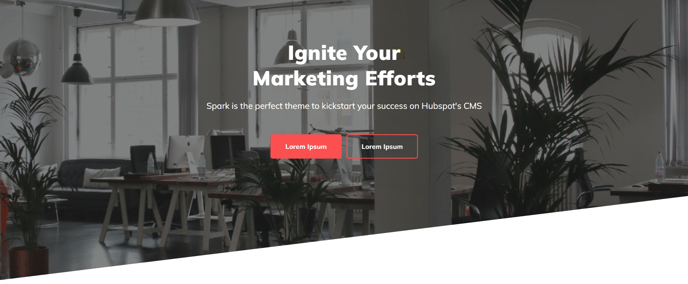
When to Use the Hero Angled Border Section
This section creates a striking visual entrance to your pages with its distinctive diagonal bottom edge that breaks away from traditional rectangular layouts. The angled border design works particularly well for modern business websites, creative agencies, and SaaS companies looking to establish a contemporary brand presence.
Best Use Cases: You’ll get the most impact using this hero section on your homepage, landing pages, and service pages where you want to immediately capture visitor attention. The angled design naturally guides the eye downward to your next content section, creating better visual flow than standard rectangular hero blocks.
Setting Up in HubSpot: After dragging this section into your page from the sections library, you can customize the hero content through the page editor’s left sidebar. The underlying hero module gives you complete control over headlines, subtext, button styling, and background options. For optimal visual impact, consider using high-contrast backgrounds like gradients or bold colors that make the angled border more prominent.
Design Considerations: The angled border works best when there’s sufficient color contrast between your hero background and the section that follows. If you’re using a white background below the hero, choose darker hero backgrounds to emphasize the diagonal cut. You can also experiment with the angle direction through the module settings to match your overall page design.
This section pairs exceptionally well with standard content blocks, feature grids, or testimonial sections positioned directly below it, as the angled transition creates a natural visual bridge between different content areas on your page.