
Icons with Text - 3 Items
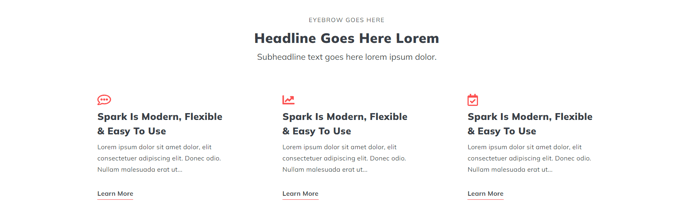
A heading and set of three Icon with Text items.
View a live demo of this section.
Modules:
Usage Guide
This section combines a rich text heading with three icon-based content blocks arranged in a horizontal layout, making it perfect for highlighting key features, services, or benefits on your HubSpot pages. The three-column design creates visual balance while providing enough space for meaningful content without overwhelming visitors.
You can add this section to any page through the HubSpot page editor by dragging it from the sections panel. The Theme Rich Text module at the top allows you to create compelling headlines or introductory copy using HubSpot’s rich text editor, giving you full control over typography, formatting, and styling that matches your brand.
Each of the three Icons with Text modules can be customized independently, letting you choose different icons, headlines, and descriptions for maximum flexibility. This makes the section ideal for comparison layouts where you want to showcase three distinct offerings, or for process explanations where you’re walking visitors through a three-step workflow.
The section works particularly well on homepage hero areas, service pages, and landing pages where you need to quickly communicate multiple value propositions. Unlike single-column icon sections, this three-item layout helps you make efficient use of horizontal screen space while maintaining readability on desktop devices.
Pro tip: Keep your icon choices visually consistent and ensure your text lengths are roughly balanced across all three items for the best visual presentation. You can also use the theme’s global styling options to adjust spacing and colors to match your brand guidelines without touching any code.
For mobile devices, the three columns automatically stack vertically, ensuring your content remains accessible and readable across all screen sizes.