
Icons with Text - Left Heading
Set of Icon with Text items and a left side heading.
View a live demo of this section.
Modules:
Usage Guide
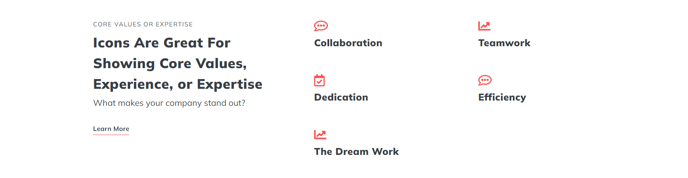
The Icons with Text - Left Heading section provides a professional layout for showcasing features, services, or benefits with a clear hierarchical structure. The left-aligned heading creates visual balance while drawing attention to your main message, making this section ideal for service pages, product feature highlights, or company value propositions.
When to choose this section: This layout works particularly well when you need to present multiple related points under a unifying theme. The left heading serves as an anchor point, while the icon-text combinations provide scannable details. Consider using this section on your homepage to highlight core services, on product pages to showcase key features, or on about pages to display company values.
Setting up the section: After adding the section through HubSpot’s page editor, you’ll configure two main components. The Theme Rich Text module on the left handles your heading and any supporting text—you can include subheadings, paragraphs, or even call-to-action buttons here. The Icons with Text module on the right lets you add multiple icon-text pairs, each with customizable icons, headings, and descriptions.
Design considerations: This section maintains visual hierarchy through its asymmetrical layout. The left column naturally draws the eye first, establishing context before readers scan the icon details. You can customize spacing, colors, and typography through the theme settings to match your brand guidelines.
Content strategy tip: Keep your left heading concise but descriptive, and limit your icon-text items to 3-6 for optimal readability. Each icon should reinforce its accompanying text, creating visual mnemonics that help visitors remember your key points long after they leave your site.