
Pillar Intro
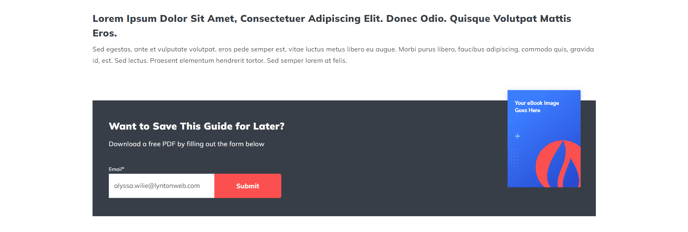
Intro content for a pillar page that includes an email form call to action.
View a live demo of this section.
Modules:
How to Use This Section
The Pillar Intro section is specifically designed for pillar pages in your content strategy, providing an engaging introduction that immediately captures visitor attention while promoting lead generation. This section creates a visual hierarchy that positions your pillar content as authoritative and valuable, making it ideal for the top of comprehensive guide pages, resource hubs, and cornerstone content.
When you add this section through the HubSpot page editor, you’ll find it combines compelling introductory copy with a strategically placed email capture form. The Theme Rich Text module allows you to craft your pillar page’s value proposition, outline what readers will learn, and establish your expertise on the topic. You can format this content with headings, bullet points, and emphasis to make your introduction scannable and persuasive.
The integrated CTA Box V2 module transforms casual browsers into leads by offering gated content, email courses, or exclusive resources related to your pillar topic. Position this strategically within your introduction to capture high-intent visitors who are already engaged with your content.
Best practices for this section:
- Keep your introductory text concise but comprehensive—aim for 150-300 words that clearly communicate the pillar page’s value
- Use the CTA box to offer content upgrades like downloadable guides, checklists, or email series that complement your pillar content
- Consider A/B testing different CTA copy and offers through HubSpot’s built-in testing tools
- Ensure your email form connects to the appropriate HubSpot list for proper lead nurturing
This section works particularly well on blog pillar pages, resource centers, and topic cluster hub pages where you want to establish thought leadership while building your email list from engaged, topic-specific audiences.