
Related Posts with Button
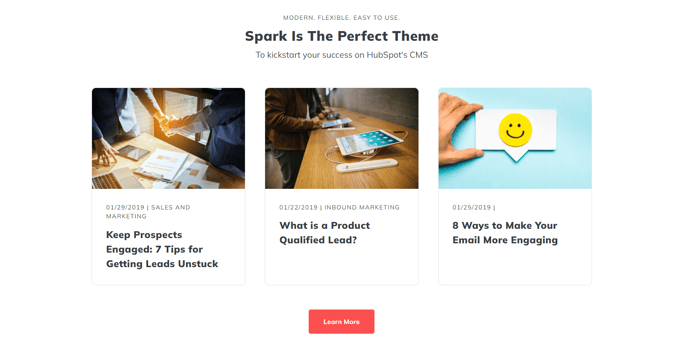
Set of posts related to the page with a heading and a button.
View a live demo of this section.
Modules:
Usage Guide
This section provides an effective way to keep visitors engaged on your blog posts and content pages by showcasing related articles with a clear call-to-action. The layout combines three essential modules in a cohesive design that encourages content discovery and drives traffic to your most important pages.
When you add this section through the HubSpot page editor’s drag-and-drop interface, you’ll find it works particularly well near the bottom of blog post templates or resource pages. The Theme Rich Text module at the top allows you to create a compelling headline that introduces your related content, such as “Continue Reading” or “Explore More Insights.”
The Related Posts module automatically pulls content based on topic tags or categories, though you can override this with manually selected posts through the module settings. This gives you flexibility to either rely on HubSpot’s content relationships or curate specific articles that align with your conversion goals.
What sets this section apart from a basic related posts list is the Theme Button module at the bottom. You can configure this button to link to your blog hub, a content resource center, or a lead generation landing page. This strategic placement captures visitors who have demonstrated interest by viewing multiple related posts.
Pro tip: Use the theme’s global styling options to ensure the button color matches your brand’s primary call-to-action color across the site. You can also adjust the spacing between modules through the section’s style settings to create the perfect visual hierarchy for your content layout.
This section performs best on blog posts, case studies, and educational content pages where visitors are likely seeking additional information on related topics.