
Tabs
Tab section with a heading.
View a live demo of this section.
Modules:
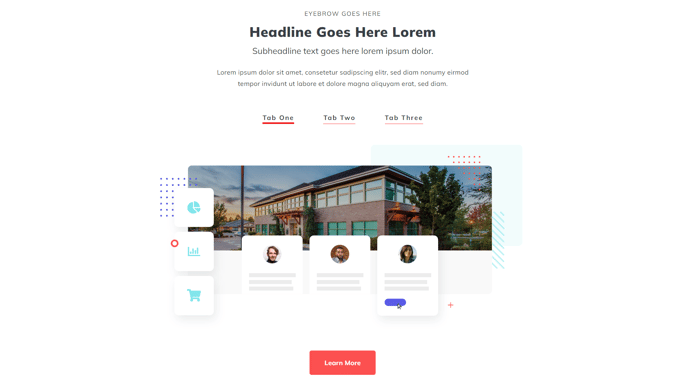
How to Use This Section
The Tabs section provides an organized way to present multiple pieces of related content without overwhelming your visitors. This section combines a header area with a tabbed content display, making it perfect for product features, service offerings, FAQ categories, or any scenario where you need to break down complex information into digestible segments.
When you add this section to your page through the HubSpot page editor, you’ll work with two main components. The Theme Rich Text module at the top lets you create compelling introductory content above your tabs—use this space for a section headline, brief description, or call-to-action that sets context for the tabbed content below.
The Tabs module itself allows you to create multiple content panels that visitors can switch between with a single click. Each tab can contain rich text, images, videos, or any combination of content types. This makes the section particularly valuable on service pages where you want to showcase different offerings, product pages with multiple feature sets, or resource hubs with categorized information.
Best practices for this section: Keep your tab labels concise and descriptive—they should immediately communicate what content visitors will find. Aim for 3-6 tabs maximum to avoid overwhelming users with choices. Place your most important or popular content in the first tab, as this will be visible by default when the page loads.
This section works exceptionally well in the middle of longer pages where you need to break up content flow, or near the top of landing pages where you want to quickly segment your value proposition. The responsive design ensures your tabbed content displays properly across all devices, with tabs adapting to smaller screens for optimal mobile experience.