
Team - Leadership
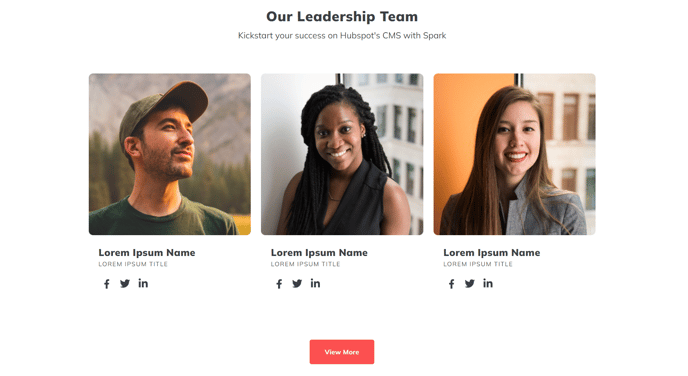
A heading and row of 3 columns to feature a small leadership team.
View a live demo of this section.
Modules:
How to Use This Section
The Team - Leadership section is designed specifically for showcasing your company’s executive team or key leadership members in a clean, professional layout. This section works particularly well on About Us pages, leadership pages, or as part of a company overview template where you want to highlight the people behind your organization.
When you add this section to any page through the HubSpot page editor, you’ll get a pre-configured layout that displays exactly three team members in equal-width columns. This makes it ideal for featuring your core leadership trio—such as CEO, CTO, and CMO—or department heads. The structured three-column format ensures consistent spacing and alignment without requiring manual adjustments.
Setting up your leadership profiles is straightforward through the Team Listing module. You can upload professional headshots, add names and titles, and include brief biographical information or role descriptions. The Theme Rich Text module at the top allows you to add context with a section heading like “Meet Our Leadership Team” or a brief paragraph about your company’s vision.
The optional Theme Button module at the bottom provides flexibility for next steps. You might link to individual leadership bio pages, your company’s full team directory, or a careers page to encourage potential hires to learn more about your leadership culture.
Best practices include using consistent image dimensions for all headshots (typically square or 4:3 aspect ratio) and keeping bio text length similar across all three profiles for visual balance. This section integrates seamlessly with your theme’s typography and color scheme, automatically adapting to any global style changes you make in the theme settings. Consider pairing this section with other team-focused sections if you need to showcase larger groups or different organizational levels.