
Blog Listing - Modular
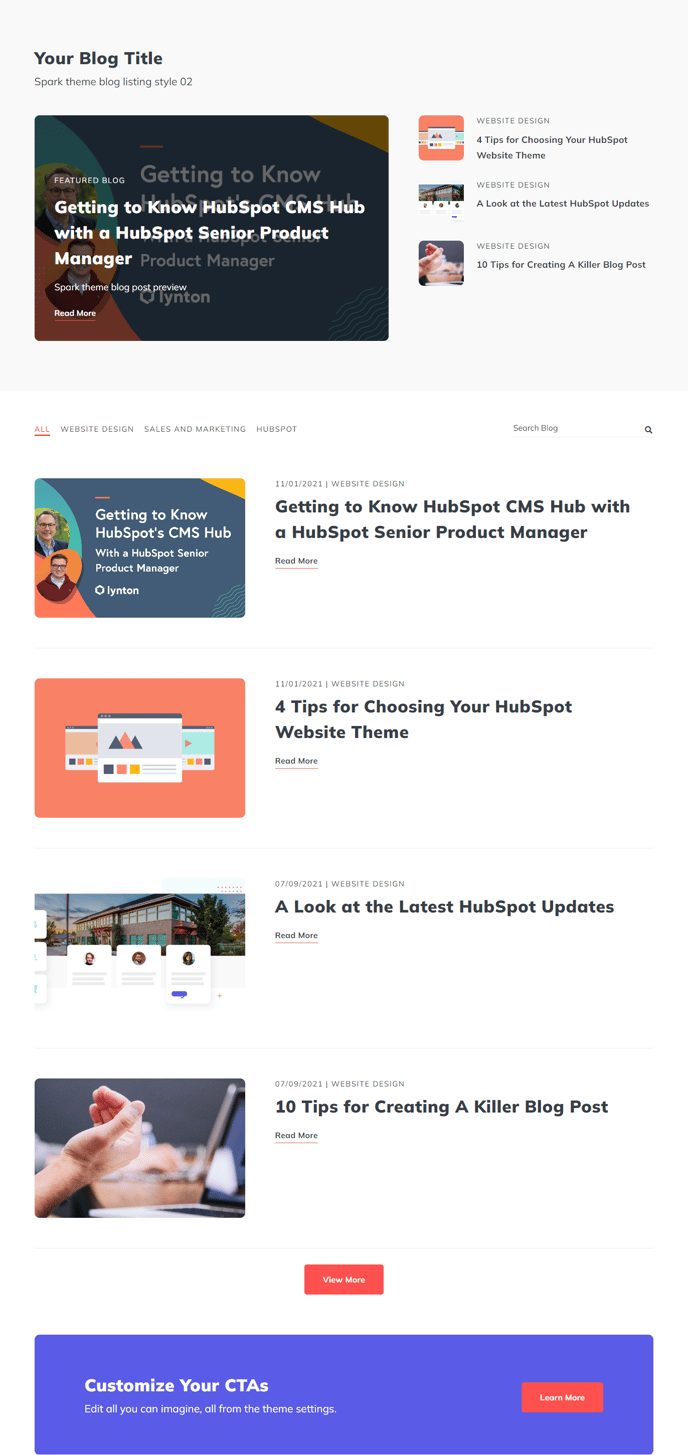
Filterable and searchable infinite load list of full-width blog posts with a set of featured posts.
Default Modules:
How to Use This Template
The Blog Listing - Modular template provides a sophisticated blog index experience that goes beyond HubSpot’s standard blog listing capabilities. This template is ideal when you want to showcase featured content prominently while maintaining easy navigation through your entire blog archive.
Setting Up Your Modular Blog Listing
When you apply this template to your blog listing page, you’ll immediately notice the dual-structure layout in the page editor. The featured posts section displays at the top, allowing you to highlight your most important or recent content, while the main blog index below provides filterable access to all posts. You can customize the number of featured posts through the Blog Featured Posts module settings, typically ranging from 2-6 posts depending on your content strategy.
Customizing the Infinite Load Experience
The infinite load functionality eliminates pagination, creating a seamless browsing experience for visitors. In the Blog Index module settings, you can adjust the initial post load count and subsequent load increments. Consider setting the initial load to 6-8 posts to balance page speed with content visibility.
Optimizing for Search and Engagement
The built-in search and filtering capabilities help visitors find relevant content quickly, which can improve your site’s engagement metrics. You can configure category filters through your HubSpot blog settings, and the template will automatically generate filter options. The CTA Box module strategically placed within the listing can promote newsletter signups, gated content, or other conversion opportunities without disrupting the browsing experience.
Content Strategy Considerations
This template works best for blogs with regular publishing schedules and diverse content categories. The modular approach allows you to add custom sections between the default modules using the drag-and-drop editor, making it perfect for blogs that need additional promotional areas or partner content integration.