
Blog Post
Simple blog post with two column hero.
Default Modules:
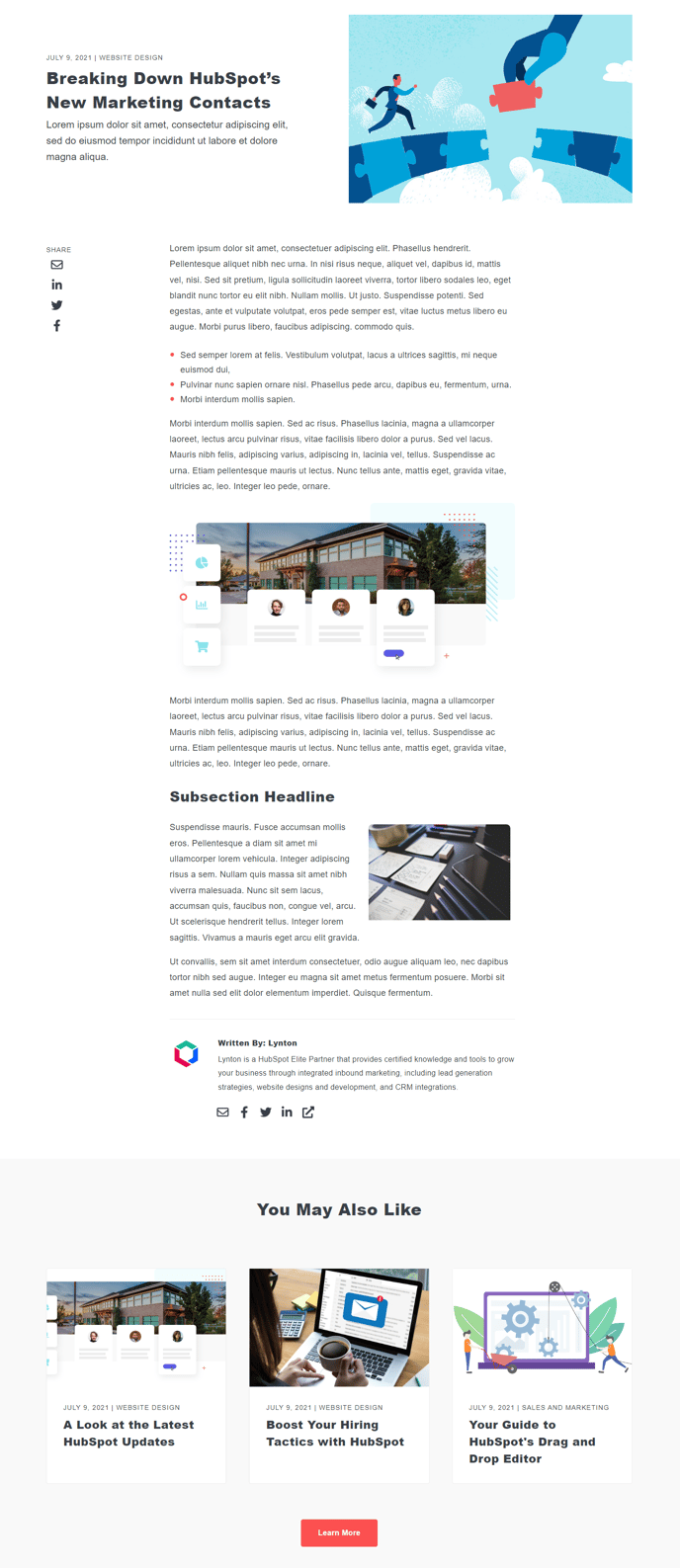
How to Use This Template
The Blog Post template is specifically designed for individual blog article pages in your HubSpot CMS. This template features a distinctive two-column hero layout that sets it apart from standard single-column blog designs, giving your content a more dynamic and engaging appearance above the fold.
When you create a new blog post using this template, you’ll immediately notice the enhanced hero section that allows you to present your blog title, featured image, and introductory content in a visually compelling side-by-side arrangement. This layout is particularly effective for blogs that want to showcase featured images prominently while maintaining strong visual hierarchy for headlines and metadata.
Setting up your blog post is straightforward through the HubSpot page editor. The template automatically applies all six default modules, but you can customize each one using the drag-and-drop interface. The Blog Post Hero module gives you control over the two-column layout proportions, while the Social Share module can be repositioned or styled to match your brand preferences.
Content strategy considerations: This template works exceptionally well for thought leadership articles, case studies, and feature stories where visual impact matters. The two-column hero provides more space for compelling introductory text compared to traditional blog layouts, making it ideal for longer-form content that needs strong reader engagement from the start.
You can further customize the template through the theme settings panel, adjusting typography, spacing, and color schemes to align with your brand. The Related Posts module at the bottom helps drive additional page views, while the integrated Schema module ensures your blog posts are properly structured for search engines. For best results, ensure your featured images are high-resolution and formatted for the two-column display.