
Contact - Large Form
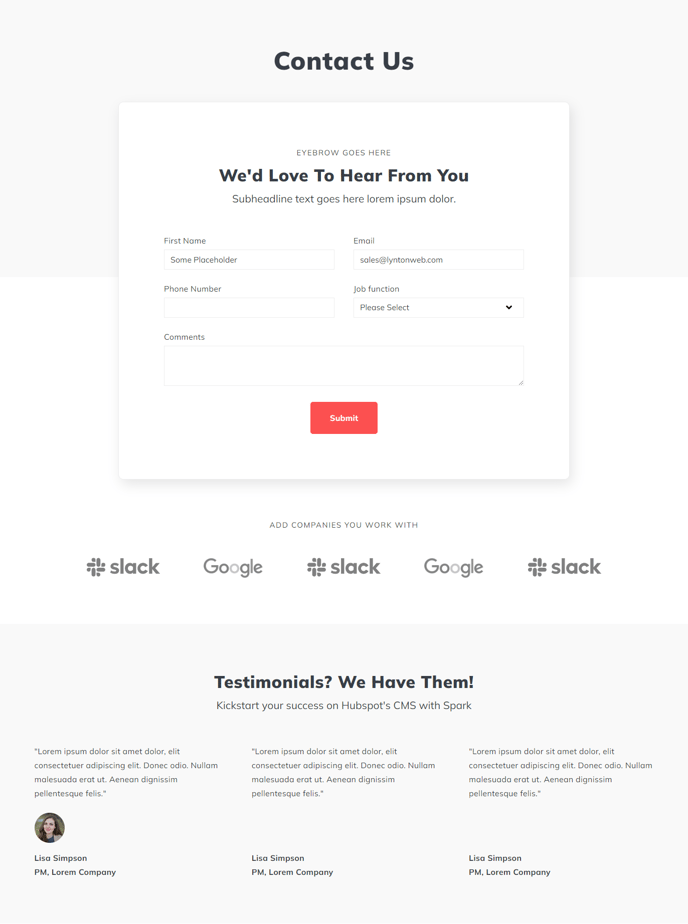
Simple page with large contact form, logos, and testimonials.
Default Modules:
How to Use This Template
The Contact - Large Form template is specifically designed for businesses that want to maximize lead conversion through an emphasis on form completion. Unlike standard contact templates that balance multiple elements equally, this template prioritizes your contact form by giving it prominent visual space and supporting it with trust-building elements.
When you select this template in the HubSpot page editor, you’ll notice the Theme Form module takes center stage with generous white space and larger input fields. This design reduces visual distractions and guides visitors naturally toward form submission. The form automatically connects to your HubSpot CRM, so leads captured through this template will appear in your contacts database with full tracking and attribution.
The supporting modules work strategically together to build credibility before visitors reach your form. Position your most recognizable client logos in the Logos Slider section near the top of the page, as social proof is most effective when visitors see it early. The Testimonials Static module should feature specific, results-focused testimonials rather than generic praise – quantified outcomes like “increased sales by 30%” perform better on conversion-focused pages.
You can customize the form fields directly through the Theme Form module settings without needing to create a separate HubSpot form. However, if you prefer using an existing HubSpot form with specific workflows or lead scoring, you can easily swap the Theme Form for a HubSpot form module through the drag-and-drop editor.
This template works particularly well for service-based businesses, consultation requests, and demo bookings where you need detailed prospect information. The Theme Rich Text module above the form is ideal for addressing common objections or highlighting your unique value proposition immediately before visitors encounter your form fields.