
Home - Split Hero
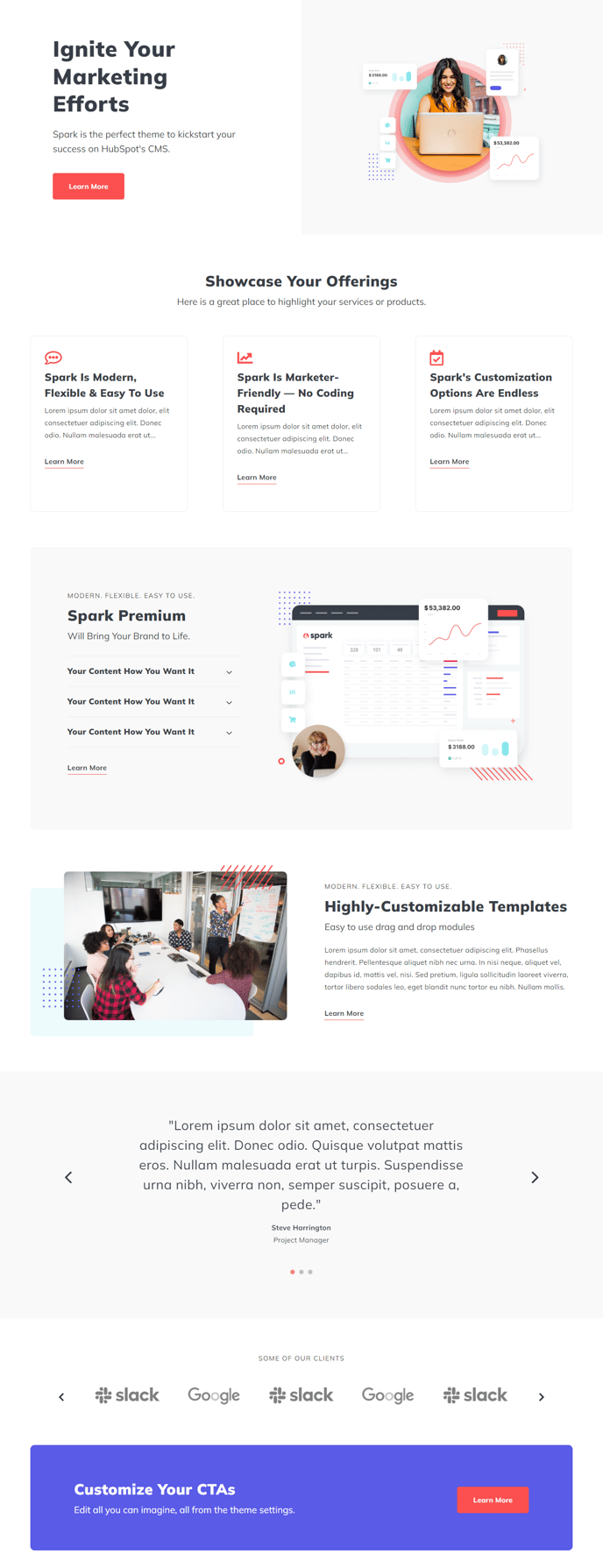
Feature your most important content to let users know who you are and what you do.
Default Modules:
- Indexing and Social SEO
- Hero Banner
- Theme Rich Text
- Icons with Text
- Callout Content Box
- HubSpot Linked Image
- Testimonials Slider
- Logos Slider
- CTA Box
- Schema
How to Use the Split Hero Template
The Home - Split Hero template is designed for businesses that want to make an immediate visual impact while clearly communicating their value proposition. This template works exceptionally well for service-based companies, SaaS platforms, and agencies that need to quickly establish credibility with first-time visitors.
What sets this template apart from other Spark Premium homepage options is its Hero Banner module with two-tone design, which creates a visually striking split-screen effect. This layout allows you to balance compelling imagery on one side with your key messaging on the other, ensuring visitors understand your offering within seconds of landing on your page.
When setting up this template in the HubSpot page editor, start by customizing the Hero Banner module with your primary call-to-action and value proposition. The two-tone design gives you flexibility to use contrasting colors that align with your brand while maintaining visual hierarchy. You can easily upload background images or videos through the drag-and-drop interface.
The Icons with Text and Callout Content Box modules work together to highlight your key services or features immediately below the hero section. These modules are particularly effective for explaining complex offerings in digestible chunks. Use the Icons with Text module for your three to four main value points, then leverage the Callout Content Box to drive visitors toward a specific action.
The Testimonials Slider and Logos Slider modules are strategically positioned to build trust and social proof. Load these with your strongest customer testimonials and recognizable client logos to reinforce credibility. Both modules support multiple entries that automatically rotate, keeping your homepage content dynamic without requiring manual updates.
Configure the Schema module in your theme settings to ensure proper structured data markup for search engines, helping your homepage rank better in search results.