
Pricing
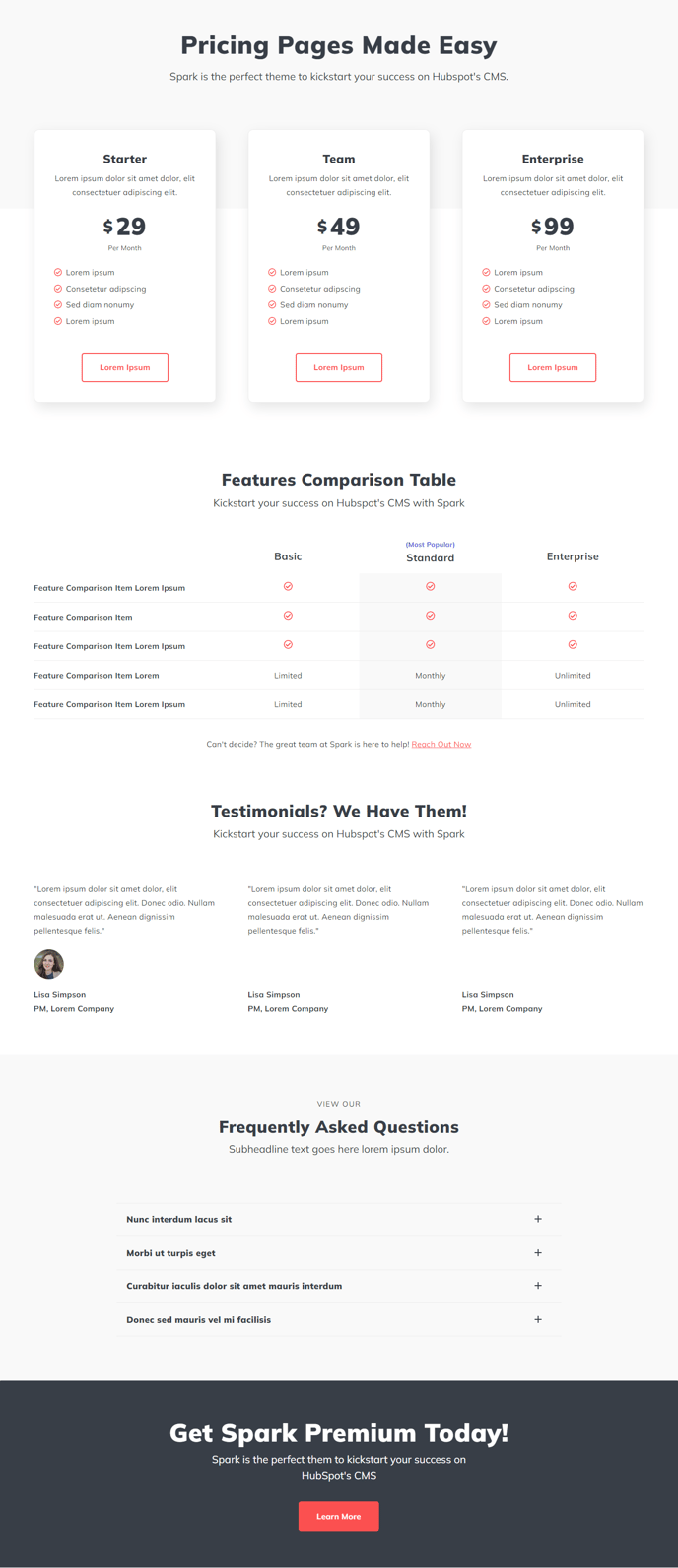
Show pricing tiers and service comparisons.
Default Modules:
- Indexing and Social SEO
- Theme Rich Text
- Pricing Boxes
- Feature Comparison Table
- Collapsible Text
- CTA Box
- Schema
How to Use This Template
The Pricing template is specifically designed for businesses that need to showcase multiple service tiers, subscription plans, or product packages on their HubSpot website. This template excels at converting visitors by presenting clear pricing comparisons and highlighting the value differences between your offerings.
When you create a new page using this template in the HubSpot page editor, you’ll immediately notice how the Pricing Boxes and Feature Comparison Table modules work together to create a comprehensive pricing experience. The pricing boxes showcase your main plans with clear calls-to-action, while the comparison table below allows prospects to dive deeper into feature differences.
Best practices for your pricing page:
Start by configuring the Pricing Boxes module to highlight your most popular plan using the built-in styling options. You can easily adjust colors, add “Most Popular” badges, and customize button text through the module settings in the page editor.
Use the Feature Comparison Table strategically by listing your most compelling differentiators first. This module supports checkmarks, custom text, and even pricing details for each tier, making it easy for visitors to understand exactly what they get at each level.
The Collapsible Text module is perfect for addressing common pricing questions or explaining complex features without cluttering your main pricing display. Consider adding FAQ sections about billing cycles, refund policies, or feature limitations.
Template customization tip: You can drag and drop additional modules from your Spark Premium library to enhance this template. Many users add testimonial sections or trust badges to reinforce their pricing strategy and build credibility with potential customers.
This template automatically includes proper schema markup for pricing information, which can help your pricing pages appear in relevant search results with rich snippets.