
Resources
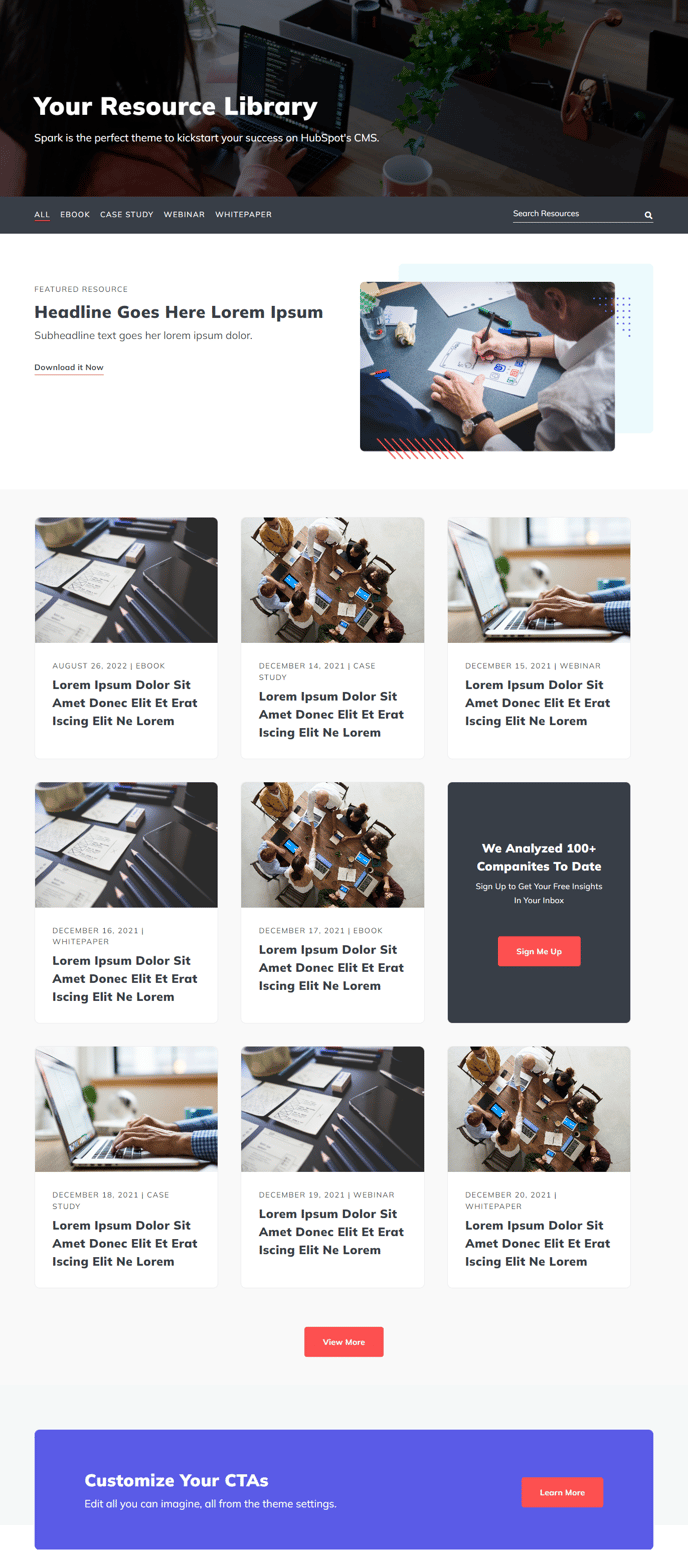
A filterable and searchable listing of resources.
Default Modules:
- Indexing and Social SEO
- Theme Rich Text
- Background Overlay
- Filterable Resource Listing
- CTA Box
- Schema
How to Use This Template
The Resources template creates a comprehensive library page where visitors can search and filter through your content assets like whitepapers, case studies, ebooks, and guides. This template works particularly well for B2B companies that want to showcase thought leadership content and capture leads through gated resources.
When you create a new page using this template, you’ll find the Filterable Resource Listing module is the centerpiece that powers the search and categorization functionality. In the page editor, you can configure filter categories that align with your content strategy - whether that’s by industry, content type, or topic. The module automatically pulls from your HubSpot blog posts or landing pages based on the criteria you set.
Setting up your resource library effectively:
Configure the filterable options in the module settings to match how your audience thinks about your content. For example, if you serve multiple industries, create filter tags for “Healthcare,” “Finance,” and “Technology” so visitors can quickly find relevant resources.
Use the Background Overlay module to add visual hierarchy and ensure your page header text remains readable over any hero image. The CTA Box module at the bottom of the page works excellently for promoting your most popular resource or encouraging newsletter signups.
For optimal performance, ensure each resource in your listing has compelling preview text and high-quality featured images. The search functionality looks through titles and meta descriptions, so craft these with your target keywords in mind. You can also leverage the Schema module to help search engines understand your resource content types, which can improve visibility in search results for industry-specific queries.