
Accordion
List of collapsible items for condensing content.
View a live demo of this module.
Content
- Choose how many items to show per row (1-4)
- Add FAQ schema
- Set an item to be open by default
Styles
- Set Dark Mode
- Split lists into two columns
- Change text alignment
- Edit module spacing
Note: Edit these following styles from your Theme Settings under the Components > Accordion section.
- Change border color
- Change Dark Mode border color
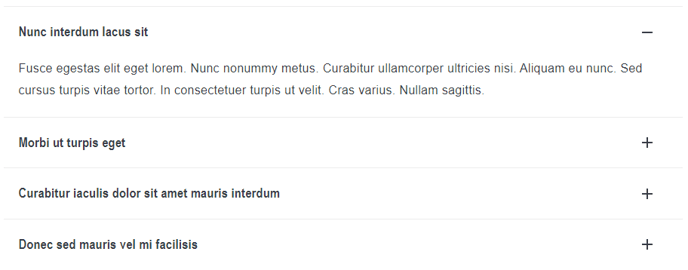
How to Use the Accordion Module
The Accordion module is perfect for organizing large amounts of content in a space-efficient way, making it ideal for FAQ pages, product feature lists, and knowledge base articles. When you drag this module into your HubSpot page editor, you’ll create an interactive element that allows visitors to expand only the information they need, reducing page clutter and improving user experience.
This module works exceptionally well on landing pages where you want to address multiple customer concerns without overwhelming them with text, and on support or resource pages where users are looking for specific answers. The FAQ schema option is particularly valuable for SEO, as it helps search engines understand your content structure and may display your questions and answers directly in search results.
Best Practices for Content Creation:
When setting up your accordion items, write clear, descriptive headlines that tell users exactly what they’ll find when they expand each section. Keep your collapsed titles concise but informative – think of them as mini-headlines that entice clicks. If you’re creating an FAQ, phrase your titles as actual questions your customers ask.
Design and Layout Tips:
The multi-column layout option (1-4 items per row) is especially useful when you have shorter content blocks or want to create a more visual, grid-like appearance. Single-column layouts work better for longer explanations or when you want users to read through items sequentially.
Consider using the “open by default” setting for your most important item – this draws immediate attention and gives users a preview of the content depth they can expect. The Dark Mode compatibility ensures your accordions maintain visual consistency across your entire site theme.