
Team Listing
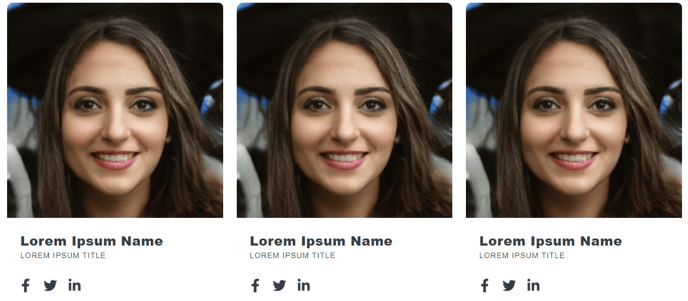
A simple listing of team members.
View a live demo of this module.
Content
-
Include a portrait, name, title, bio, and social links for each member
-
Change how many members to show per row
-
Add a default image
Styles
Note: Edit these following styles from your Theme Settings under the Components > Team Listing section.
- Change member border radius and border color
Usage Guide
The Team Listing module is perfect for creating professional team pages, about us sections, and staff directories on your HubSpot website. You’ll find this module particularly useful on company overview pages, department-specific landing pages, and service pages where showcasing expertise builds trust with visitors.
When you drag this module into the HubSpot page editor, you can easily add team members one by one without any coding knowledge. The module automatically handles the responsive layout, ensuring your team profiles look great on desktop, tablet, and mobile devices. You can adjust the number of team members displayed per row to match your page layout and the amount of content you want to include for each person.
Pro tip: Use the default image feature when some team members don’t have professional headshots ready. This maintains visual consistency across your team grid while you work on obtaining photos for everyone.
The social links functionality lets you connect each team member’s LinkedIn, Twitter, or other professional profiles directly from their listing. This is especially valuable for consulting firms, agencies, and B2B companies where individual expertise and thought leadership matter to potential clients.
For styling consistency, remember that all visual customizations are controlled through your Theme Settings rather than individual module settings. This means when you update the border radius or colors in the Components section, those changes apply to every Team Listing module across your entire site, maintaining brand consistency.
Consider pairing this module with a Rich Text module above it to include an introductory paragraph about your team or company culture before displaying the individual profiles.