
About
Share info and benefits about your company and let users know about your team members.
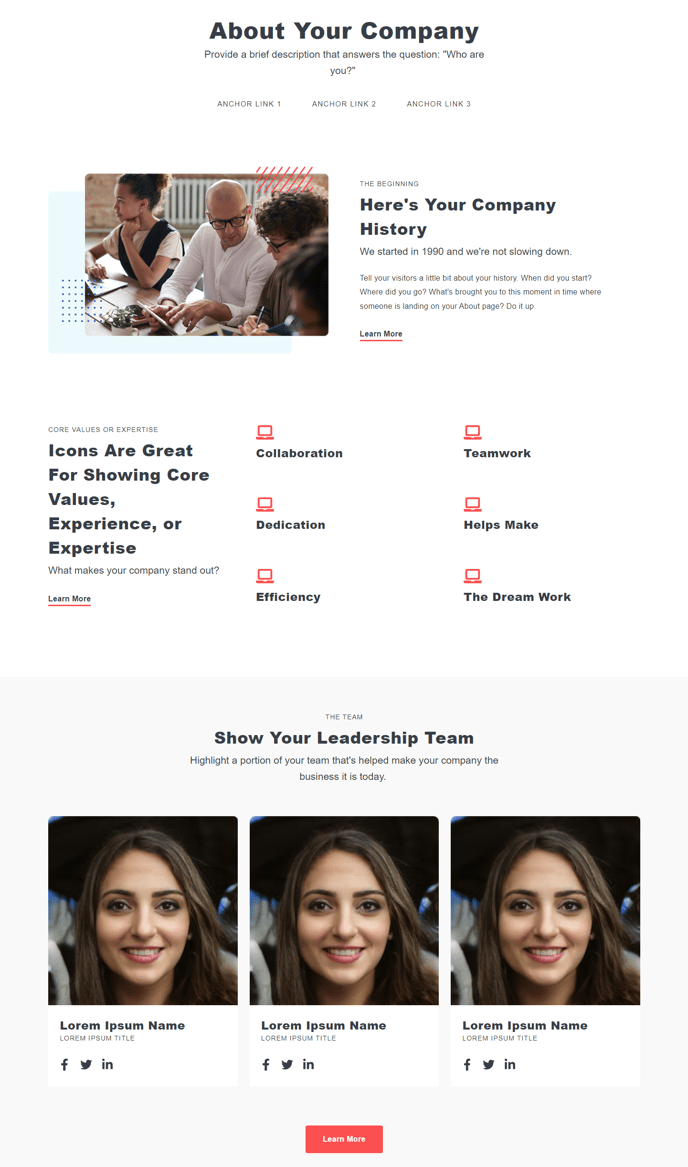
Default Modules:
- Theme Rich Text
- Page Nav
- Section Anchor
- HubSpot Linked Image
- Icons with Text
- Team Listing
- Button
How to Use This Template
The About template is specifically designed to help you build compelling company pages that convert visitors into leads and customers. Unlike standard HubSpot page templates, this template combines storytelling elements with team showcase functionality, making it perfect for building trust and credibility with your audience.
When you create a new page using the About template, you’ll find the default modules already arranged in a logical flow that guides visitors through your company story. The Theme Rich Text module at the top allows you to craft your main company narrative, while the Icons with Text module is positioned to highlight your key value propositions or company benefits immediately after your introduction.
Setting up your About page effectively:
Start by customizing the Page Nav module to create smooth scrolling between different sections of your page. This is particularly useful for longer About pages that cover company history, values, team, and contact information. Use the Section Anchor modules to create jump points that correspond with your page navigation.
The Team Listing module is the standout feature of this template, allowing you to showcase team members with photos, titles, and brief descriptions. You can easily add or remove team members through the page editor without needing to rebuild the entire section. For larger teams, consider organizing members by department using multiple Team Listing modules separated by Theme Rich Text headers.
Pro tip: Use the HubSpot Linked Image module to add visual elements like office photos, company timeline graphics, or award logos that support your story. The Button module at the bottom should direct visitors to your primary conversion goal, whether that’s scheduling a consultation, viewing your services, or contacting your team.