
Blog Listing
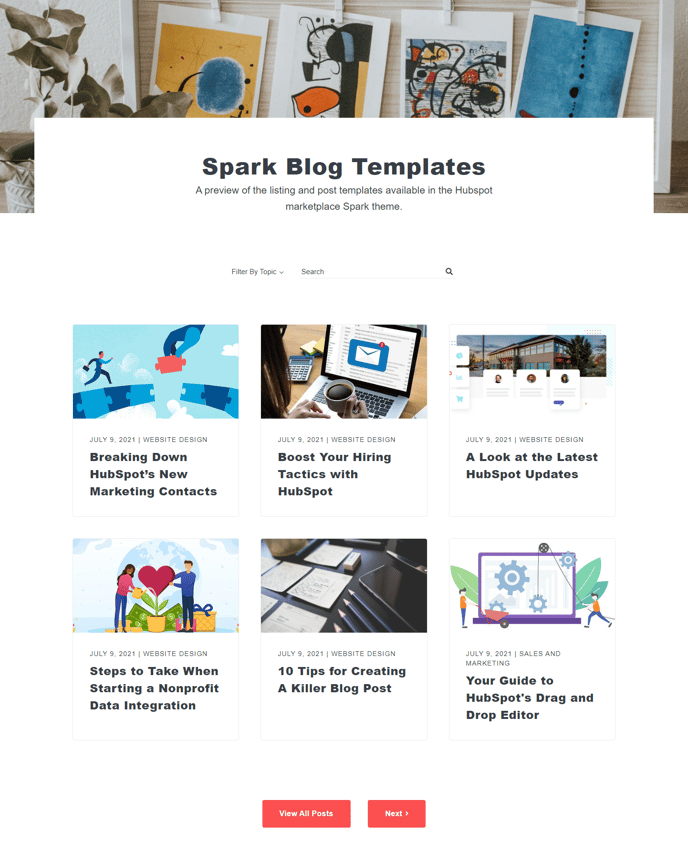
A filterable and searchable list of blog posts.
Default Modules:
- HubSpot Rich Text
- Blog Index
How to Use This Template
The Blog Listing template serves as your primary blog hub, automatically generating an organized display of all published blog posts on your site. When you apply this template to a page, it creates a dynamic blog index that updates automatically whenever you publish new content, eliminating the need for manual page updates.
Setting Up Your Blog Listing Page
After selecting this template in the HubSpot page editor, you can customize the layout using the drag-and-drop editor. The Blog Index module comes pre-configured with search functionality and category filtering, but you can adjust these settings through the module options panel. Consider adding introductory content using the Rich Text module to provide context about your blog’s focus or recent topics.
Customization Options
You can control how many posts display per page, choose between grid or list layouts, and customize the post preview length through the Blog Index module settings. The template integrates seamlessly with your HubSpot blog settings, automatically pulling post titles, featured images, author information, and publish dates.
Best Practices
Position your Blog Listing page prominently in your site navigation to maximize content discoverability. If you maintain multiple blogs or content categories, consider creating separate blog listing pages for each topic area. The search and filter functionality helps visitors find relevant content quickly, making this template particularly valuable for sites with extensive blog archives.
The template’s responsive design ensures your blog listings display properly across all devices, while the built-in SEO optimization helps search engines index your content effectively.