
Blog Listing Hero Text
A rich text module that lets you add text dependent on what blog listing type the user is viewing (alt, tags, author, date).
Note: This module is only able to be used on the Blog Listing template.
Content
- Change which heading is viewable in the page editor; some dynamic content may not be viewable in the page editor (ex: tag and author name), but it will still give an idea of what the hero will look like on that particular listing page
- Include eyebrow, heading, sub-heading, text, and/or views for the main listing, tag listing, author listing, and archive listing
Styles
- Set Dark Mode
- Change text alignment
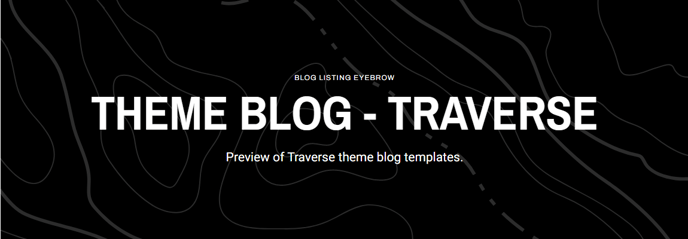



Usage Guide
The Blog Listing Hero Text module serves as a dynamic header component that automatically adapts its messaging based on how visitors arrive at your blog listing page. Unlike static hero modules, this intelligent component recognizes whether someone is viewing your main blog feed, filtering by a specific tag, browsing an author’s posts, or exploring archived content from a particular date range.
When setting up this module in the HubSpot page editor, you’ll configure separate content sets for each listing type during the initial setup. The module then dynamically displays the appropriate version without requiring any additional configuration or page variants. This eliminates the need to create multiple blog listing templates or rely on complex conditional logic.
Best practices for content configuration:
For your main blog listing, focus on your overall content strategy and value proposition. Tag-specific headings should directly reference the topic (the module can pull tag names dynamically), while author pages work well with biographical introductions or expertise statements. Archive listings benefit from time-specific messaging that acknowledges the historical nature of the content.
The dark mode styling option proves particularly valuable for blogs with varied content themes, allowing you to match the hero’s appearance to your overall page design without conflicting with your theme’s global settings. Text alignment controls help you create visual hierarchy that complements other page elements.
Content editor workflow tip: Preview your blog listing page after adding this module, then navigate to different filtered views (click author names, tags, or archive links) to see how each content variation appears. This real-world testing ensures your dynamic messaging feels natural across all listing scenarios and helps identify any content gaps before your blog goes live.