
Blog Post Hero Text
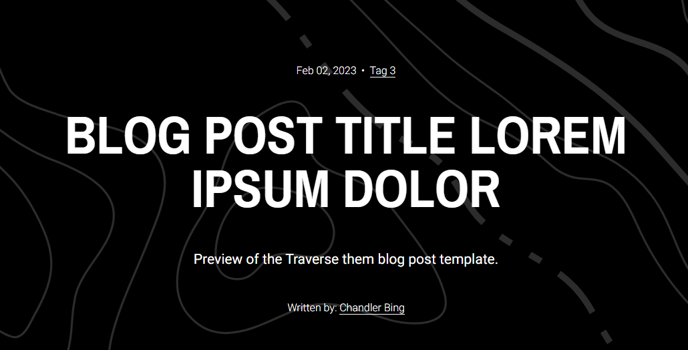
Dynamically generated content for a blog post hero.
Note: This module is only able to be used on the Blog Post template.
Content
- Select what content to show (read time, date, tag, summary, author, social sharing)
- Limit number of tags that can be shown
- Limit what specific tags can be shown
- Include a custom summary
- Select what social platforms to show (Twitter, Facebook, LinkedIn, Pinterest, email, download)
- Include link titles for screen reader accessibility
- If download is selected, include a link to a downloadable resource
- Edit text strings from read time, author text, and tag spacer
Styles
- Set Dark Mode
- Change text alignment
- Change max width of content
How to Use This Module
The Blog Post Hero Text module transforms your blog post headers from basic titles into engaging, information-rich introductions that provide readers with context before they dive into your content. This specialized module leverages HubSpot’s blog post metadata to automatically populate relevant details without requiring manual updates for each post.
When you drag this module onto your blog post template in the HubSpot page editor, it becomes a central hub for post information. The dynamic content functionality means that once configured, the module will automatically pull the correct data for each blog post—saving you time while maintaining consistency across your blog.
Best practices for configuration: Use the tag limiting features strategically to avoid overwhelming readers with too many categories. If your blog covers diverse topics, consider showing only 2-3 most relevant tags per post. The custom summary option is particularly valuable when your blog post excerpt needs to be different from the meta description or when you want to create compelling hooks that encourage readers to continue reading.
The social sharing integration goes beyond basic sharing buttons by including accessibility features and download options. This makes the module ideal for content marketing strategies where you’re distributing whitepapers, guides, or other resources alongside your blog content. The download link feature effectively turns your blog posts into landing pages for lead generation.
Styling considerations: The dark mode toggle is especially useful if your Traverse theme uses dynamic color schemes or if you want to create visual contrast between different blog categories. The max-width setting helps maintain optimal reading line lengths, which is crucial for user experience on larger screens. Consider setting alignment based on your typical post image placement—center alignment works well with full-width featured images, while left alignment complements sidebar layouts.