
Hero - Background Video
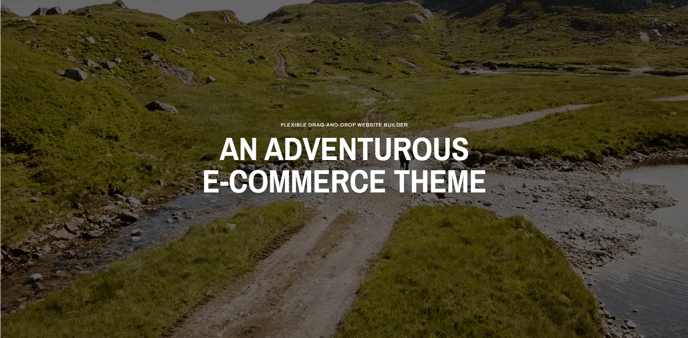
A hero with a video for a background and full width content options for text, image, form, and popup video.
Note: The section this module is added to should have its Content Alignment set to Full width.
View a live demo of this module.
Content
- Include eyebrow, heading, sub-heading, text, and/or buttons
- Include an image, form, or popup video
- Add video URL to use for background
Styles
-
Set Dark Mode
-
Change max width of content
-
Change background overlay color and opacity
-
Change module padding
-
Change text alignment
-
Change styling of lists
- Change space between list items
- Change bullet type
- Change bullet color (not applicable to image bullets)
- Enclose bullet (if using icon or image can enclose it in a colored box)
-
Have media overlap the section below this module
-
Add load in animation to the media (fade in, up, right, down, or left)
-
Form styling:
- Set Dark Mode
- Change heading alignment
-
- Box in the form (edit background, border, box-shadow, and padding)
- Change labels position (left, top, inset)
- Change button position (left, center, right, full width, single field) and color
-
Video styling:
- Change color of play button
- Change color and opacity of image overlay
How to Use This Module
The Hero - Background Video module is designed to create an impactful first impression on your visitors by combining motion graphics with compelling content. This module works best as the opening element on landing pages, product showcase pages, and homepage designs where you need to immediately capture attention and communicate your value proposition.
When adding this module through the HubSpot page editor’s drag-and-drop interface, you’ll want to place it in a section configured for full-width display to achieve the intended cinematic effect. The background video will automatically loop and play silently, creating an engaging backdrop that doesn’t interfere with your content’s accessibility.
Content Strategy Tips: Use short, high-quality video clips (15-30 seconds) that support rather than distract from your messaging. The video should enhance your content hierarchy, not compete with it. Consider how your text will appear over the moving background—light text typically works better with darker video overlays.
Performance Considerations: Since background videos can impact page load times, ensure your video files are optimized for web delivery. The Traverse theme handles responsive scaling automatically, but you should test how your content appears across different screen sizes using HubSpot’s preview options.
Design Integration: Take advantage of the overlap feature to create seamless transitions between this hero section and subsequent content modules. The animation options for media elements can create sophisticated entrance effects that align with your brand’s personality. When incorporating forms or popup videos, consider how these interactive elements will perform against the moving background—the overlay opacity controls become crucial for maintaining readability and conversion potential.
This module pairs particularly well with product feature sections, testimonial modules, and call-to-action blocks that can build on the initial engagement created by your hero video.