
Product Search
Stand alone search box that can link to a product listing page.
View a live demo of this module.
Content
- Include link to a page using the Product Listing module
- Include a search bar
- Include filter dropdowns (Note: filters must mirror filters available on the product listing page being linked to)
- Allow multiselect on the filters
- Edit text strings used in the module (search label, submit button text, clear search aria label)
Styles
- Have module overlap the section above or below it
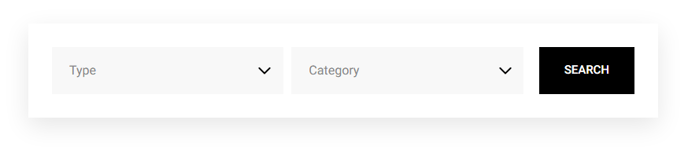
How to Use This Module
The Product Search module serves as a powerful entry point for customers to find products on your HubSpot website. You’ll typically place this module prominently on your homepage, category pages, or at the top of product-focused landing pages to create an intuitive search experience that drives visitors deeper into your product catalog.
When you drag this module into the HubSpot page editor, you’ll need to establish the connection between your search functionality and your product display page. The module works by passing search queries and filter selections to a page that contains the Product Listing module, creating a seamless user flow from search to results. This makes it essential to set up your product listing page first before configuring the search module.
The filter dropdown functionality is particularly useful for e-commerce sites with diverse product catalogs. However, remember that these filters must exactly match the filter options you’ve configured on your destination product listing page – otherwise, visitors may receive unexpected or empty results. The multiselect capability allows customers to refine their search across multiple categories simultaneously, improving the user experience for complex product searches.
Pro tip: Use the overlap styling option strategically to create visual continuity between sections. This works especially well when placing the search module over hero images or gradient backgrounds, creating a modern, integrated look that doesn’t feel like an afterthought.
Consider placing this module on multiple pages throughout your site – not just your homepage. Category pages, blog posts about products, and even thank-you pages can benefit from giving visitors an easy way to search your product catalog without navigating away from their current context.