
FAQ - Left Header
Frequently asked questions with a left-side header.
View a live demo of this section.
Modules
How to Use This Section
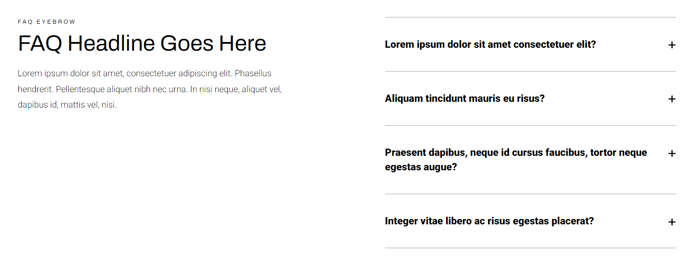
The FAQ - Left Header section provides a clean, asymmetrical layout perfect for organizing frequently asked questions on your HubSpot pages. Unlike traditional centered FAQ layouts, this section positions the header content on the left side, creating visual interest and allowing for more descriptive introductory text alongside your collapsible questions.
This layout works exceptionally well on support pages, product detail pages, and service landing pages where you need to address common customer concerns while maintaining an engaging design. The left-aligned header gives you space to include a compelling headline, brief description, or even a call-to-action button that guides users after they’ve found their answers.
When adding this section through HubSpot’s page editor, you’ll find the collapsible text module automatically configured for optimal spacing and typography that matches the Traverse theme’s design system. You can easily drag and drop additional FAQ items by duplicating the collapsible text module within the section, and each question will inherit the proper styling without additional configuration.
Pro tip: Use the left header area to include contact information or a link to your support team for questions not covered in the FAQ list. This creates a natural pathway for users who need additional help.
The section’s responsive design ensures the left header stacks above the FAQ items on mobile devices, maintaining readability across all screen sizes. You can customize the header content through HubSpot’s rich text editor, including the ability to add buttons, images, or formatted text that complements your FAQ content.
Consider using this section when you want to break up long-form content on service pages or when you need a more sophisticated alternative to basic bulleted lists of questions and answers.